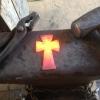
February 13, 201412 yr Having a little fun away from the forge down here in South Carolina! Stay warm everybody!
February 13, 201412 yr Supposed to be in the 80's (degF) this weekend; staying warm is not the issue!
February 13, 201412 yr should be about 2 degrees C here in the morning and then another storm coming in by 10am
February 13, 201412 yr Best not stand too close to the forge or you will end up in the slack tub... LOL
February 14, 201412 yr he aint got a lot of muscle on them arms :D Maybe not but I heard he has his technique down cold. That icy grin says it all. :D -Crazy Ivan
February 14, 201412 yr .....something tells me he's a lightweight worker, and won't last long next to the forge. :)
February 14, 201412 yr Coal ususally costs me an arm and a leg, it looks like it would only cost him an eye...
Join the conversation
You can post now and register later. If you have an account, sign in now to post with your account.