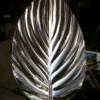
June 15, 201412 yr This was found in a bunch of hammers, top tools, and other misc. blacksmithing stuff I picked up a couple weeks ago. Anybody know what it is or what it's for?
June 16, 201412 yr More than likely a whatchamacallit, Do-hicky's are often lighter in color with more defined corners.
June 16, 201412 yr You need to hold the picture a little closer to the screen- I can't quite make it out :) Dave
June 16, 201412 yr I have one of those, hung my cloak of invisibility over it and now cant find either
June 16, 201412 yr Many of us have had problems getting photos on this site before, can you describe it in detail while we wait for photo?
June 17, 201412 yr its a thingy to keep Ewes from loosing their lambs. or it's to keep a calf from sucking! can't see well enough.
Join the conversation
You can post now and register later. If you have an account, sign in now to post with your account.