Marksnagel
Members
-
Joined
-
Last visited
Everything posted by Marksnagel
-
Nice looking knife! Always glad when home made items are put to use and not in a case.
-
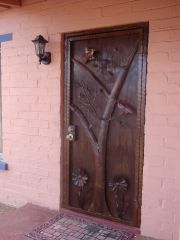 Wow! What a nice welcome home that is. Great job!
 -
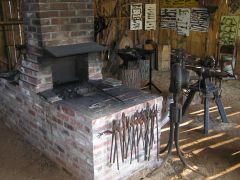 I am really impressed with your shop. Thanks for sharing. <><
 -
That knife is a beauty. It gives me something to shoot for in my endeavors. thanks for posting a pic. <><
-
Really good looking knife. Nice job.
-
We were lucky. Our landlord who owns the farm we live on told us there might be an old blower in the scrap area behind the barn. Sure enough there it was. It was from Lancaster Pa and had a date of 1909 on it. It needed some work but it works great. It coasts for a few revs after you stop cranking but there is a distinct metal to metal sound which worries me a little. Lord willing it will last for another 100 yrs. As Thomas stated, parts will be hard to find. I will hate the day I have to put an electric blower on it. Have a blessed day.<><
-
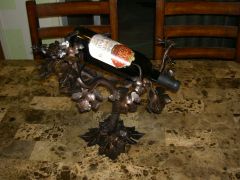 On your first post I couldn't see how the rack was to work. Thanks for showing it with a bottle. Beautiful piece of art. Thanks for posting it. <><