Skip to content
View in the app

A better way to browse. Learn more.

I Forge Iron

A full-screen app on your home screen with push notifications, badges and more.

To install this app on iOS and iPadOS
  1. Tap the Share icon in Safari
  2. Scroll the menu and tap Add to Home Screen.
  3. Tap Add in the top-right corner.
To install this app on Android
  1. Tap the 3-dot menu (⋮) in the top-right corner of the browser.
  2. Tap Add to Home screen or Install app.
  3. Confirm by tapping Install.

Vermillion Flycatcher

Featured Replies

My daughter is a member of the Tucson Audubon Society and I wanted to replicate their logo in copper.

I think it came out okay and I know she will love it. Thanks for looking.

IMG_3846.thumb.jpeg.b20040d5eb2541376bd4f87b1274ab9c.jpeg
 

this is the logo and flycatcher

IMG_3849.jpeg.9ebc9eea4255cfaeca9f087a5af61383.jpeg

I'm sure she'll be showing it off and bragging to all her friends about her talented Father. 

I like it a lot.

Frosty The Lucky.
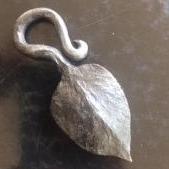
Yep, I think you nailed it.

You did great Rojo. She will love it. 

That turned out great, Rojo!

Join the conversation

You can post now and register later. If you have an account, sign in now to post with your account.

Guest
Reply to this topic...

Account

Navigation

Search

Search

Configure browser push notifications

Chrome (Android)
  1. Tap the lock icon next to the address bar.
  2. Tap Permissions → Notifications.
  3. Adjust your preference.
Chrome (Desktop)
  1. Click the padlock icon in the address bar.
  2. Select Site settings.
  3. Find Notifications and adjust your preference.