June 17, 20242 yr Yeah, being retired is a 24/7/365 job isn't it. Weekends and holidays just don't matter anymore. That said, what's your excuse, Hmmmm? Deb and I were enjoying a 3 day weekend at a local RV park, roasted hot dogs, met folks from all over the place. I got to meet and pet dogs, our dogs got to bark at people walking past, etc All in all a nice shake down for the RV. Frosty The Lucky.
June 17, 20242 yr Author It was Commencement/Reunion Weekend at the college, so I was on-duty to staff events and meet with donors.
February 1, 20251 yr Author I just purchased a set of three cam dies on eBay, tools #7B, 8B, and 8B2. These are ostensibly for bending U-bolts (with interior diameters of 1-3/4”, 2”, and 2-14”, respectively), but will work for any bend in those sizes. The interesting thing about the cam design is that it allows you to control which “leg” of the U is feeding into the bed. That is to say, whichever leg has the flat side of the cam against it is fixed relative to the bend, and stock bends around the other side of the cam: Thus, in (A), the length of leg on the left is fixed and the leg on the right gets shorter as it wraps around the cam. In (B), on the other hand, the length of leg on the right is fixed, and the leg on the left gets shorter as it wraps around the cam. This is particularly important for a U-bolt, since the ends of the bolt need to be threaded before the U is bent. By switching the cam from one side to the other, you can tweak the bend to make sure the ends of the legs come out even.
February 1, 20251 yr Author NB: The Hossfeld manual notes that you can bend spacers around the cams if you need to bend larger-radius curves.
February 1, 20251 yr Sweet, I never got enough time on a Hossfeld to learn much of anything about using one and the one in high school metal shop class had more dies than there was room in the shop. <sigh> Heck, I don't think any of my metal shop instructors know how to use one for more than basic bends. Frosty The Lucky.
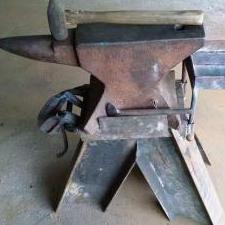
June 30, 2025Jun 30 Here is my addition to this thread. I got a text from one of my friends.. He let me know a mutual friend was cleaning out the shop. This is the most complete setup I have seen for a Hossfeld #2. It came from Norton Abrasives in Worcester, MA back in the 90's. The Hossfeld company changed hands about 10 years ago and all the old records were thrown away. So there is no MFG date and no support for these older benders in terms of serial numbers nor hydraulics..
June 30, 2025Jun 30 Good to see you're AVATAR again Jennifer, long time no post! How are things going with the learning center, keeping busy? Yeah, like you're ever anything BUT busy. Keep in touch now and then will you please? Frosty The Lucky.
Join the conversation
You can post now and register later. If you have an account, sign in now to post with your account.