Skip to content
View in the app

A better way to browse. Learn more.

I Forge Iron

A full-screen app on your home screen with push notifications, badges and more.

To install this app on iOS and iPadOS
  1. Tap the Share icon in Safari
  2. Scroll the menu and tap Add to Home Screen.
  3. Tap Add in the top-right corner.
To install this app on Android
  1. Tap the 3-dot menu (⋮) in the top-right corner of the browser.
  2. Tap Add to Home screen or Install app.
  3. Confirm by tapping Install.

Pearl and Damascus

Featured Replies

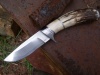
Here is a photo of one of my damascus folders with fluted mother of pearl handles and some of my nickel damascus. Thanks, Buddy

7055.attach

Keep em coming, this one is really unique with the white line in it, I like it!

welder19

  • 1 month later...

what materials did you use in your billet?the pattern is great!

  • Author

I used 1095, 15N20 and nickel. The pattern is random. Thanks, Buddy

Very nice work!! Thanks for sharing.

WOW! That is one beautiful hunk of man jewelry. I guess that's what you would call it. Not like like you would go out gutting deer with it but something to take out on a hot date!:p
Join the conversation

You can post now and register later. If you have an account, sign in now to post with your account.

Guest
Reply to this topic...

Account

Navigation

Search

Search

Configure browser push notifications

Chrome (Android)
  1. Tap the lock icon next to the address bar.
  2. Tap Permissions → Notifications.
  3. Adjust your preference.
Chrome (Desktop)
  1. Click the padlock icon in the address bar.
  2. Select Site settings.
  3. Find Notifications and adjust your preference.