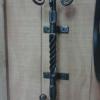
May 29, 201313 yr Greetings all, Time for another one of my why didn't I think of that .... I made a towel rack for my basement bathroom and when I went to put it up it just did not look right with those ugly screws... Simple fix put the screw through a 1/4 square nut... Comments welcome.. Jim
May 29, 201313 yr Greetings all, Time for another one of my why didn't I think of that .... Comments welcome.. Jim Why didn't I think of that ...
May 29, 201313 yr Good idea! It also works well as a way to make modern square head bolt hardware look larger. I had a client with some enormous hand forge bolts. He wanted new ones but couldn't afford hand forged. The heads on store bought ones are WAY too small! However, if you texture your small bolt head, and place a big square washer behind it, from a few feet away, it passes off quite well. I like the black dome head screw. Where are you getting those? Is it just a course thread wood screw?
May 29, 201313 yr Author Greetings CD and Sparky, To answer your questions... The 1/4 square nut is colored by using gun blue.... Final finish is clear enamel . The screws are black oxide number 10 11/2 long... Those I bought at a flea market but are commercially available.. Have a great day and keep a knockin Jim
May 30, 201313 yr That's a real head slapper Jim, thanks for lighting the bulb for us. Frosty The Lucky.
Join the conversation
You can post now and register later. If you have an account, sign in now to post with your account.