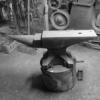
September 13, 201510 yr I have been so busy in my shop forging tools, I lost 70 lbs. Makes my 700 lb. Hay Budden look bigger here is the before picture, look how thin my face got in the above post
September 13, 201510 yr Good job!Now market your smithy as a weight loss center to make some more sales
September 13, 201510 yr Good for you Stewart, it's not type II diabetes I hope. I lost a bunch till I got it under control.Hard work paying off once again.Frosty The Lucky.
September 13, 201510 yr Good for you.And I suppose all the work was good for business too! A win, win all the way Edited September 13, 201510 yr by ianinsa
September 15, 201510 yr Make sure you have a name tag on the next time I see you, so I know who I'm talking to. Hope you've been well. Steve
September 16, 201510 yr Wow, you really have been busy! Glad to see you post again too Stu, been a while
Join the conversation
You can post now and register later. If you have an account, sign in now to post with your account.