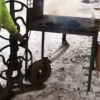
June 27, 201412 yr forging today wanted to put a hole in my striker plate, and oops by the end of the job the fire pot now has a part of it that melted. How many of you out there have ever experienced this. what would be a good way to keep this from happening again.
June 27, 201412 yr Weird.... I bought a cast Lorance firepot simply for the fact that they are essentially unmeltable at 1" thick
June 27, 201412 yr I've had the same firepot for years and it's never even gotten a dull red glow (I check every now and then).
June 27, 201412 yr Greetings Silver, I have and use many cast fire pots and never toasted a single one... The only thing that I can think that you did was with a large plate over the top of the sweet spot in the fire you developed a super heated spot under the plate that was close to the cast... My guess. Forge on and make beautiful things Jim
June 28, 201412 yr Flipped a tuyere screen on end and melted part of it once (actually, I do that part about once a year), and by the time I caught it, coals had dropped in and took the tuyere pipe to a yellow heat, (brake disc firepot only just got to red in middle). Coulda put a hole in it if it had gone much further.
June 28, 201412 yr Your fire is too low. Have a larger pile of fuel and use more air to raise the height of the fire-ball.
June 28, 201412 yr Author i was using coke and im thinkin it was the plate covered to much of the pot, it was a centaur forge pot. well i guess lesson learned here taller fire next time and when the new one comes it im goin to use the old one till its toast for big fires like that. thanks fellas for the responces
Join the conversation
You can post now and register later. If you have an account, sign in now to post with your account.