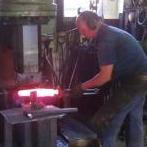
April 20, 201313 yr Looks like i missed out on some fun :( , maybe next yr . Few heads i know in the pix :) Ian , is a bloke down here already known for wearin' a " Bolwer hat " you don't wanna be confused for him . John McPherson / samcro , thats a Anyang 9 kg / 22 lb self contained hammer , the smallest that they make Dale Russell
April 21, 201313 yr Was a fun weekend, even my missus enjoyed herself. Must admit I didn't do much, to often I bumped into someone I know and had to chat for half an hour;) Look forward to next year. So popular, space is getting a challenge! See you at Menangle (18/19th May) or Rozelle (26th). AndrewOC
April 21, 201313 yr Trying to post pix, but keep getting this error message: mySQL query error: SELECT COUNT(*) as topicviews FROM invision_topic_views WHERE views_tid=32844
April 21, 201313 yr You could direct that little power hammer direct to my place, save you taking it home !
April 24, 201313 yr Author Monster started wearing a bowler, I bought a bowler then a top hat then moonie got one too, sets the scene. If you have to wear something on your head,(bald, sun, skin cancer etc) why not wear something to stand out from the crowd. Why blend in if you dont have to. Phil
August 30, 201312 yr ye this years iron fest was a great time many smith there doing there stuff so hope next year its bigger and hammering along
Join the conversation
You can post now and register later. If you have an account, sign in now to post with your account.