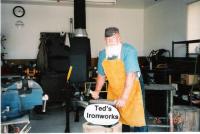
July 24, 20196 yr I am still kicking, and greatfull for the support that Glenn and I Forge Iron has provided to me over the years. So I just wanted to take a minute say Thank You!
July 24, 20196 yr Right there with you Ted, I would Like to call you Brother, but it feels presumptuous. Instead, I thank you for your Service, and can relate to your gratitude, which I share. and I wear that shirt a lot - my FAVORITE! Thank you Glenn! Robert and Sheila Taylor
July 24, 20196 yr I'd like to say thanks to Glenn as well. I've told him lots of times, but I don't think it could ever be enough. He has the heart of a teacher. Not only in blacksmithing, but lessons in living life. I'm forever grateful to him
July 25, 20196 yr I'll say it again and again. This gang of blacksmiths Glenn brought together went a long way towards keeping Deb sane after my accident and during my recovery. Without you guys, Glenn and the admin gang especially I don't know what Deb would've done. Some of the gang used to call her every evening just to talk. THANK YOU Glenn. This thing you've created is a thing of beauty a giant brother/sister hood. We're all the better for it. Well done Brother. Frosty The Lucky.
Join the conversation
You can post now and register later. If you have an account, sign in now to post with your account.