Skip to content
View in the app

A better way to browse. Learn more.

I Forge Iron

A full-screen app on your home screen with push notifications, badges and more.

To install this app on iOS and iPadOS
  1. Tap the Share icon in Safari
  2. Scroll the menu and tap Add to Home Screen.
  3. Tap Add in the top-right corner.
To install this app on Android
  1. Tap the 3-dot menu (⋮) in the top-right corner of the browser.
  2. Tap Add to Home screen or Install app.
  3. Confirm by tapping Install.

Featured Replies

You have a good eye, and are obviously enjoying the ride.. I approve.

Carry on, 

Mike

  • Author

Thanks Mike. Just trying to have a little fun in the imagination area.

Keep em coming David, nice pieces. I have to disagree with Thomas though the shark should be on a leash.


Frosty The Lucky.

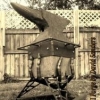
I like him. The reo works well as a wetsuit.

great work .I bet you will get a few orders for Christmas!


If you have a dive shop in your area you might want to swing by and see if they are interested in either purchasing items like that for sale, or are willing to work with you on commission.
Join the conversation

You can post now and register later. If you have an account, sign in now to post with your account.

Guest
Reply to this topic...

Account

Navigation

Search

Search

Configure browser push notifications

Chrome (Android)
  1. Tap the lock icon next to the address bar.
  2. Tap Permissions → Notifications.
  3. Adjust your preference.
Chrome (Desktop)
  1. Click the padlock icon in the address bar.
  2. Select Site settings.
  3. Find Notifications and adjust your preference.