Skip to content
View in the app

A better way to browse. Learn more.

I Forge Iron

A full-screen app on your home screen with push notifications, badges and more.

To install this app on iOS and iPadOS
  1. Tap the Share icon in Safari
  2. Scroll the menu and tap Add to Home Screen.
  3. Tap Add in the top-right corner.
To install this app on Android
  1. Tap the 3-dot menu (⋮) in the top-right corner of the browser.
  2. Tap Add to Home screen or Install app.
  3. Confirm by tapping Install.

Twisted Hunter

Featured Replies

EA050f6.jpg?1


s1JIByy.jpg?1


vRoWvAH.jpg?1

Made a trip to visit another maker in the very recent past. Saw and learned a ton. Experience of a lifetime and a game changer for me, If I remember 1/100th of what I saw I will be doing good.

It's another beautiful knife that's 100% Darren's style... I guess for me that's why I didn't comment. You've perfected this combination, I'd love to see more experimentation.

  • 3 weeks later...

It's beautiful, the gorgeous handle suits very well the awesome blade. Excellent job!

That's a beaut that any gent would love to carry on the trail

  • Author

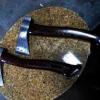
Thanks for the kind words Gents. I recently made a trip to the US to visit another maker. As you can see here I picked up a few skills. Now if I can just remember 1/10th of what I learned I'll be doing OK!
Join the conversation

You can post now and register later. If you have an account, sign in now to post with your account.

Guest
Reply to this topic...

Account

Navigation

Search

Search

Configure browser push notifications

Chrome (Android)
  1. Tap the lock icon next to the address bar.
  2. Tap Permissions → Notifications.
  3. Adjust your preference.
Chrome (Desktop)
  1. Click the padlock icon in the address bar.
  2. Select Site settings.
  3. Find Notifications and adjust your preference.