Skip to content
View in the app

A better way to browse. Learn more.

I Forge Iron

A full-screen app on your home screen with push notifications, badges and more.

To install this app on iOS and iPadOS
  1. Tap the Share icon in Safari
  2. Scroll the menu and tap Add to Home Screen.
  3. Tap Add in the top-right corner.
To install this app on Android
  1. Tap the 3-dot menu (⋮) in the top-right corner of the browser.
  2. Tap Add to Home screen or Install app.
  3. Confirm by tapping Install.

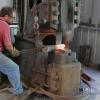
Some great photos of heavy industry

Featured Replies

Great shots DD,

Industrial photographer - now there's a fun job . . .

Thanks for sharing!

Wow! There went my morning.... Great pictures

wow! that made me smile:) kids were impressed too!

A lot of those pictures are really interesting. They can almost give you a first hand look at steel making.

And I was worrying about how to get that point just right on some 1/4" rebar - Ha

Nice photos

think about the radiant heat coming off that thing........and the guy is 4 feet away from it!

thanks

alec

  • 2 weeks later...

We tell the kids, "Hey son you can only catch fire and burn, the quicker you are with that the sooner you can get away from the heat".

Looking through the pictures on this page and there are pictures of one of the steelmills a few blocks from my shop.
Join the conversation

You can post now and register later. If you have an account, sign in now to post with your account.

Guest
Reply to this topic...

Account

Navigation

Search

Search

Configure browser push notifications

Chrome (Android)
  1. Tap the lock icon next to the address bar.
  2. Tap Permissions → Notifications.
  3. Adjust your preference.
Chrome (Desktop)
  1. Click the padlock icon in the address bar.
  2. Select Site settings.
  3. Find Notifications and adjust your preference.