
lostunderhood
Members
-
Joined
-
Last visited
Everything posted by lostunderhood
-
I like it!! For a test knife it sure is pretty!!
-
That looks great!!! Don't let my wife see it or she'll want one to!! I like the colored glass accents. Loren :D
-
Woops ment to say scouts...... Loren :unsure:
-
Brasilikilt Have you looked into the BSA metal working? (Portland is huge with Scotts) The closest program is in Tillimoock. This may be a way for the farm to reach a large group of teens. Good luck.
-
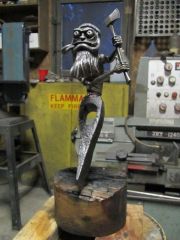 Great tutorial!!
 -
Thats ingenious!!! If she's like my wife she's going to love'm!! Loren
-
kubiack, I use to install fire systems in residential houses, we sized the systems for 2 heads activated ( they are heat activated, melt link) so you would need to know the flow of the head and size the pipe acordingly. Plan on a 144 sq ft per head (12'X12'). The local fire dept. may be able to help you with planing. If you are going to the cost a few buck for a drawing by an engineer is worth it. Just my 2 cents ,Loren
-
I am in Heisson wa.