Skip to content
View in the app

A better way to browse. Learn more.

I Forge Iron

A full-screen app on your home screen with push notifications, badges and more.

To install this app on iOS and iPadOS
  1. Tap the Share icon in Safari
  2. Scroll the menu and tap Add to Home Screen.
  3. Tap Add in the top-right corner.
To install this app on Android
  1. Tap the 3-dot menu (⋮) in the top-right corner of the browser.
  2. Tap Add to Home screen or Install app.
  3. Confirm by tapping Install.

Nblackmon96

Members
  • Joined

  • Last visited

  1. loverly knife. I can't wait to get my forge up and running
  2. Nice knife, blade is a little short to me, but that is just me.
  3. a knife any guy would be proud to own :)
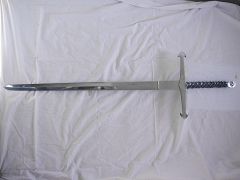
  4. did you fold the sword or did you just beat a bar out flat. nick
  5. Awsome sword, how did you fit the pommel on, thanks. nick
  6. Okay thanks, I thought that was an intake but i was not sure.
  7. what size bag of Kast-o-lite did you buy. thanks
  8. why do you need the big tee shaped pipe
  9. where did you get your Kast-o-lite
  10. Thanks, that sounds cheaper than charcoal and it looks a lot cleaner than a coal forge B)
  11. Nblackmon96 commented on jim c's gallery image in Swords
  12. Nblackmon96 commented on P. Bedard's gallery image in Members Gallery

Account

Navigation

Search

Search

Configure browser push notifications

Chrome (Android)
  1. Tap the lock icon next to the address bar.
  2. Tap Permissions → Notifications.
  3. Adjust your preference.
Chrome (Desktop)
  1. Click the padlock icon in the address bar.
  2. Select Site settings.
  3. Find Notifications and adjust your preference.