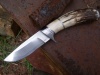
September 8, 200817 yr Man-oh-Man, You do make a pretty knife. The filework on the inside edge of the bolsters (term?) is spot-on, and I like the cap on the thumb latch too. Very nice
September 9, 200817 yr Simply gorgeous! Out of all the knives I have viewed here and elsewhere I think I just found my favorite. Wow...
June 17, 200917 yr My latest knife with my nickel damascus and mammoth ivory. Thanks for looking Nice Jobs. It is really good.:)
June 17, 200917 yr Your choice of materials and workmanship compliment each other, not too flashy, shows your confidence, creativity, and expertise. Mark
June 17, 200917 yr very nice! it looks like the workmanship you would have seen 100 years ago when you had real craftsman when things were still made right, very nice.
June 17, 200917 yr looks like a knife somebody's kids are going to fight over. Elegant and sleek. Like the file work on the bolsters, great attention to detail!
November 2, 200916 yr What can anyone say. It is a masterpiece. Elegant, beautiful. wonderful detail, but not overdone. And still practical and usable.
Join the conversation
You can post now and register later. If you have an account, sign in now to post with your account.