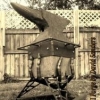
September 11, 201411 yr its not all forged but some of my work is starting to take on a hybrid look of forged and welded. This work i am going to donate this month to a local fishing tournament that raises money for disabled veterans. This is 12 in long and 5 in wide.
September 12, 201411 yr I like it! Someone will be happy to take it home. Just in case they don't have them send it to me :)Railroad spikes for the head?Dave
September 12, 201411 yr Author I like it! Someone will be happy to take it home. Just in case they don't have them send it to me :) Railroad spikes for the head? Dave Yes i used railroad spikes for the head and a left over peice i forged for the tail. I had a guy a while back pay me with two 5 gallon buckets of railroad spikes for one of my bottle openers. I have been looking at them for a while now and stated making railroad spike creatures and people. this was my first shark. working on a fishing one now.
September 15, 201411 yr The empty space is as good as the filled space. great style and originality well done
Join the conversation
You can post now and register later. If you have an account, sign in now to post with your account.