Skip to content
View in the app

A better way to browse. Learn more.

I Forge Iron

A full-screen app on your home screen with push notifications, badges and more.

To install this app on iOS and iPadOS
  1. Tap the Share icon in Safari
  2. Scroll the menu and tap Add to Home Screen.
  3. Tap Add in the top-right corner.
To install this app on Android
  1. Tap the 3-dot menu (⋮) in the top-right corner of the browser.
  2. Tap Add to Home screen or Install app.
  3. Confirm by tapping Install.

Anvil & Hammer Trailer Hitch Cover

Featured Replies

Here is a trailer hitch cover I am making. They are all steel construction with the face sanded to a brushed finish and 3 coats of clear to protect it. While these are cutting into the time I have to play with the forge, I think they came out pretty neat.

  For the time being, I can't discus any sales here.

                         Frank

post-31390-0-19039000-1372177419_thumb.j

post-31390-0-29207500-1372177539_thumb.j

Looks good Frank.


Frosty The Lucky.

Going by the short heading that you see I thought, cool someones made a hammer and anvil trailer, this I gotta see,

  • Author

No vechicle wilth a hitch, no problem....  I have an idea....

    And thanks guys for the nice words about it.

                                Frank
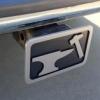
No hitch make them to replace the emblem in the grill

  • Author

Yeah I have a lot of ideas like that.

Join the conversation

You can post now and register later. If you have an account, sign in now to post with your account.

Guest
Reply to this topic...

Account

Navigation

Search

Search

Configure browser push notifications

Chrome (Android)
  1. Tap the lock icon next to the address bar.
  2. Tap Permissions → Notifications.
  3. Adjust your preference.
Chrome (Desktop)
  1. Click the padlock icon in the address bar.
  2. Select Site settings.
  3. Find Notifications and adjust your preference.