March 23, 201313 yr Aaron and Bill...... Great job. You guys are "almost" having too much fun up there! Hope you both visit again soon and yes you can let Michael tag along too. :rolleyes: Stan
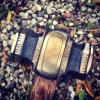
March 31, 201313 yr Author Thanks Stan. We did sure enjoy making this. Have an order for a sledge-we'll be punching a few sledge eyes tomorrow... for anyone interested, I finally finished uploading pictures of the making of this sledgehammer. https://picasaweb.google.com/110237586412247118904/ForgingASledgeHammer# Aaron
April 1, 201313 yr Where did you get the handle from? Looks like you sanded down a store bought handle, not that thats bad, it looks awesome!
Join the conversation
You can post now and register later. If you have an account, sign in now to post with your account.