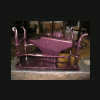
June 12, 200917 yr heres my new old 120 lb. anvil. Only mark on it is the horseshoe circled in soapstone whats the verdict?
June 12, 200917 yr Looks like a Mousehole to me! The 'horseshoe' looks to me like its part of a number- probably the stone weight- if it's 120 lbs then it would have said at one point 1 . 0 . 8 I think I can see the 'dot' after the zero, on the right, next to the soapstone line...
June 12, 200917 yr Is that a horse shoe, or part of a Zero, that could be part of the weight stamp in stone weight? I have my thoughts, first guess is mousehole....looks like some lettering above that? The shape of the ends of the feet tell alot, anyway you could lift it up and show us what is sunk in the stump?
June 14, 200917 yr I'd say mousehole or OTHER old english maker. "Good lord we have a marxist revolutionary on the forum!" and a zombie one at that!
Join the conversation
You can post now and register later. If you have an account, sign in now to post with your account.