BeaverBurps
Members
-
Joined
-
Last visited
-
-
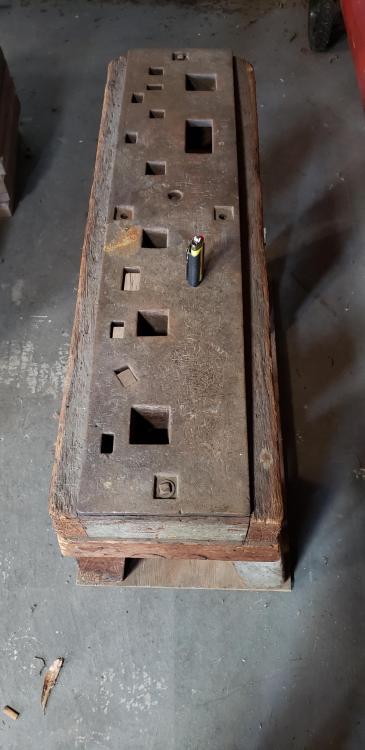
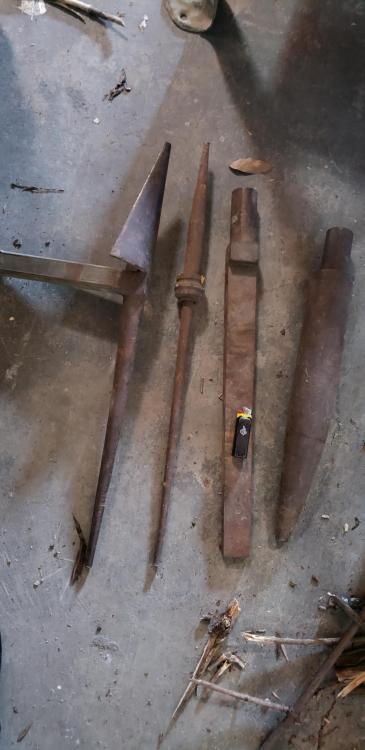
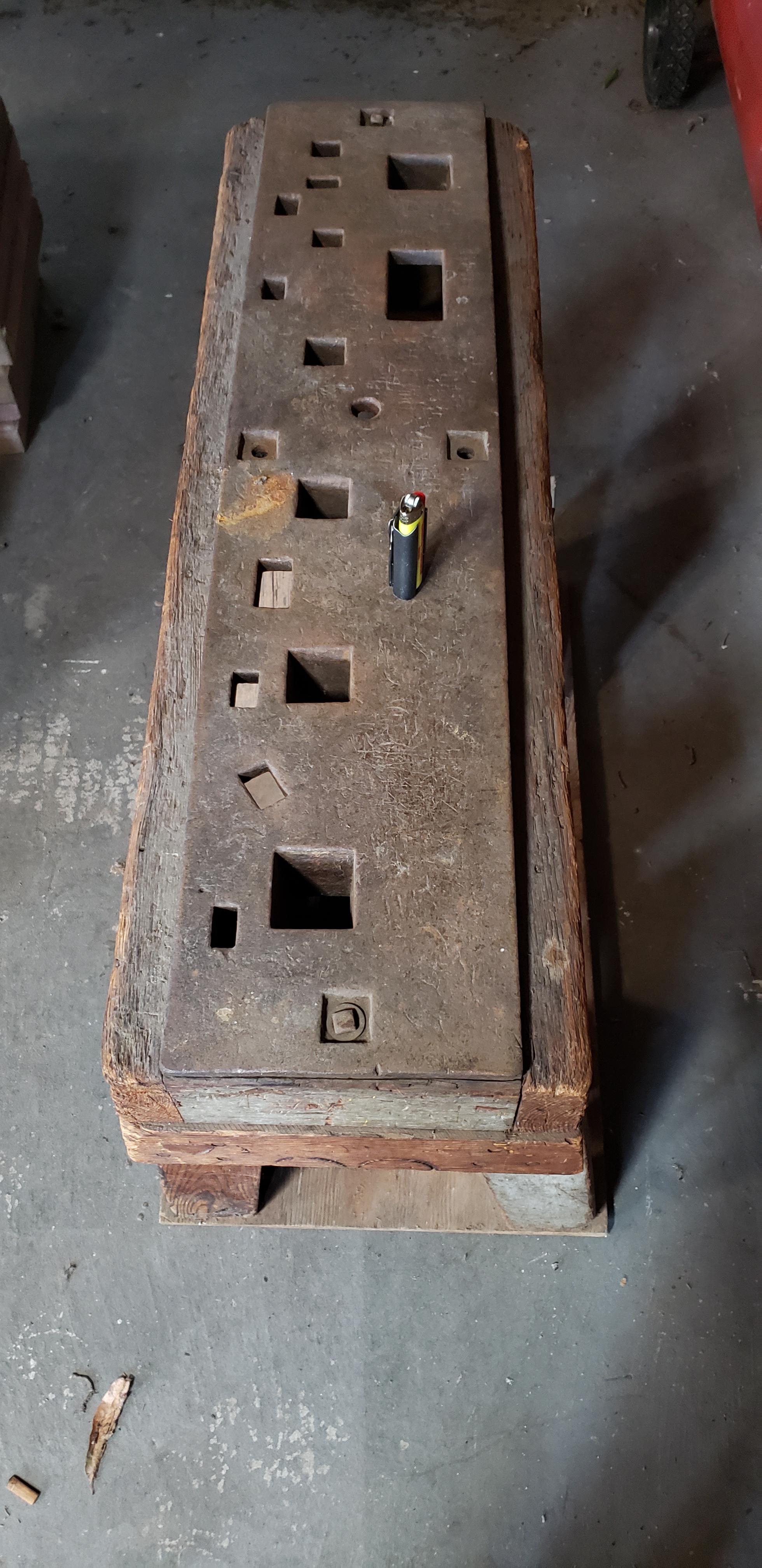
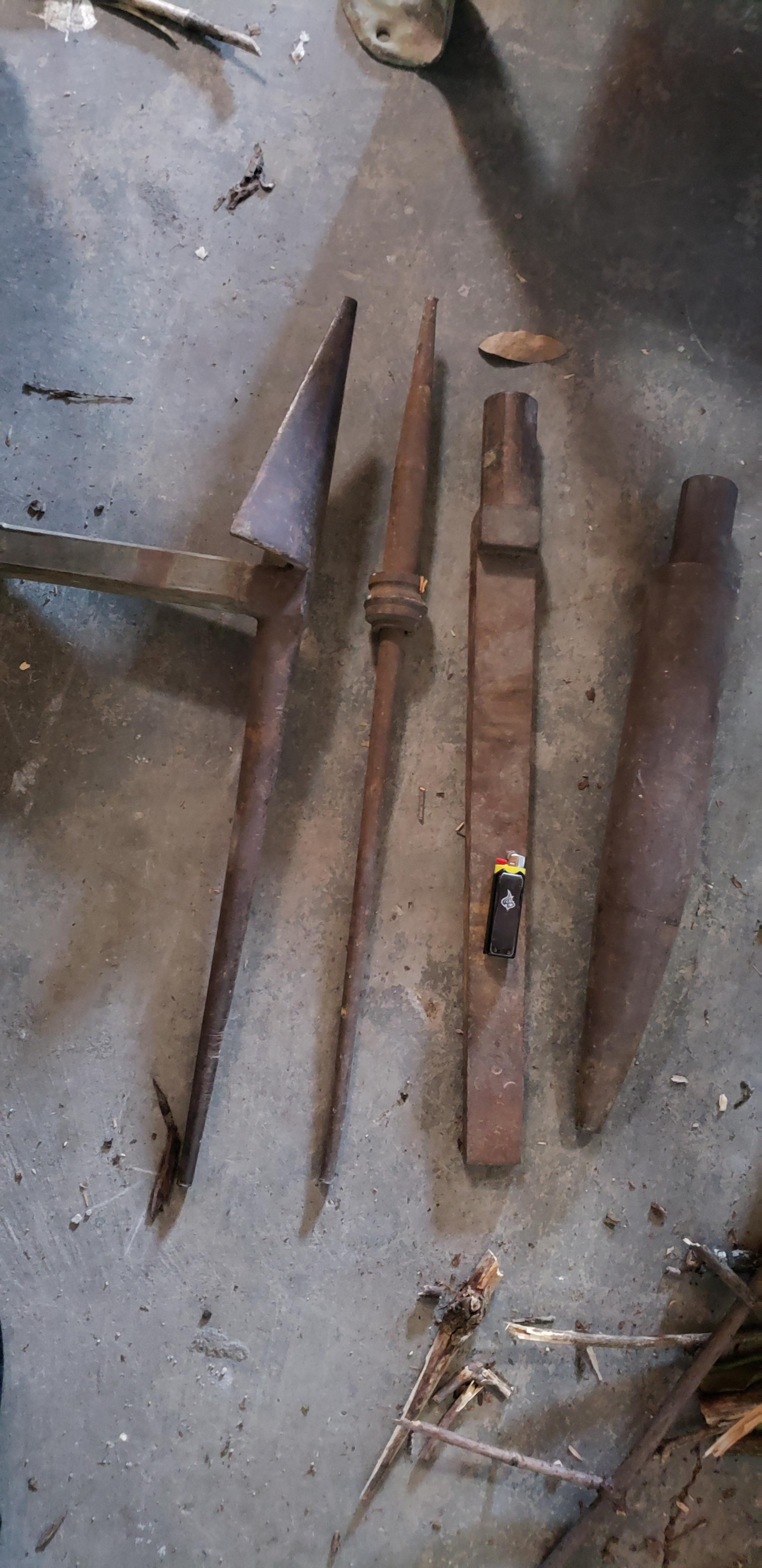
I got an amazing gift recently. I got a Hardy/hardie tool bench. It came with 4 pieces. One is a Blowhorn I know that... there's a spike that im pretty sure has nothing to do with it and 2 items that cannot be used in the bench. One of the two, looks to me, like a removable Anvil horn, the other is a long rectangular object with a step in it. Both are horizontal fits and both have a round, male insert with two flattened or "keyed" sides, unlike other vertical that are tapered square/rectangle. There are no stamps or markings. Can you help me identify the 2 and possibly the spike? I am also interested in finding corresponding pieces for both bench and unidentified tools. I am new to blacksmithing, just getting the final pieces together to really start. I appreciate any help you guys can give. I've tried for days looking up different words to identify the 2 with no luck in the slightest. He'll, I honestly don't know what I'm looking at with these 2 specifically. They could be for something entirely unrelated. Anyways, thanks again guys!