Skip to content
View in the app

A better way to browse. Learn more.

I Forge Iron

A full-screen app on your home screen with push notifications, badges and more.

To install this app on iOS and iPadOS
  1. Tap the Share icon in Safari
  2. Scroll the menu and tap Add to Home Screen.
  3. Tap Add in the top-right corner.
To install this app on Android
  1. Tap the 3-dot menu (⋮) in the top-right corner of the browser.
  2. Tap Add to Home screen or Install app.
  3. Confirm by tapping Install.

Chris john

Members
  • Joined

  • Last visited

  1. Like that piece Trillium reminds me a little of jormunganda
  2. boycat51 started following Chris john
  3. Hi Jack i think you have the habaki missing off the blade .about the distance it seem out to me . normaly a piece of copper .look for in your yard . Chris
  4. Acid etch like most armour was done
  5. Hi Heap magic job mate nice lines keep it up , chris
  6. Chris john posted a gallery image in Members
  7. Hi Mbmul175 Great first one for sure, a bit of time in that one . I did one a couple of month back ,thanks for showing . Chris
  8. Hi Gergely Glad you like ,Thanks for your coment mate Chris
  9. Hi Latticino thanks for your compliments just hammer and chisel and daylight . The stock was upset enough when i slit him and hammered him . LOL . if i wanted to make the jaw and beard bigger i would have upset the ends a bit . As for handles there so many varing different from tapered to the wedgeing . You probably right on handle wrap i havent thrown it thanks. Chris Hi tdaleh thanks for your time to coment appreciate . Chris Hi there Benton much appreciated thank you very much . Chris
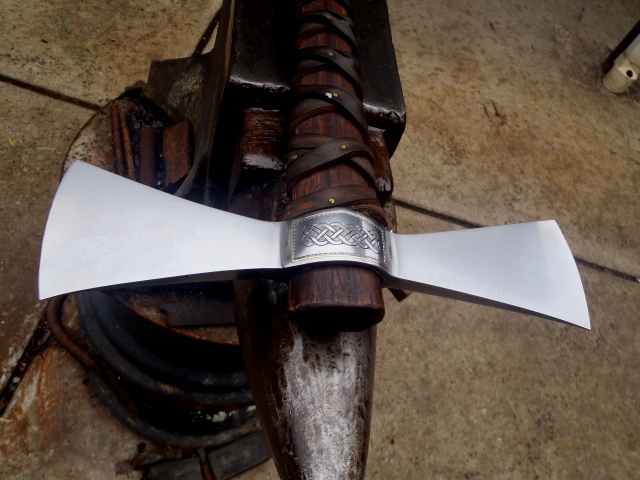
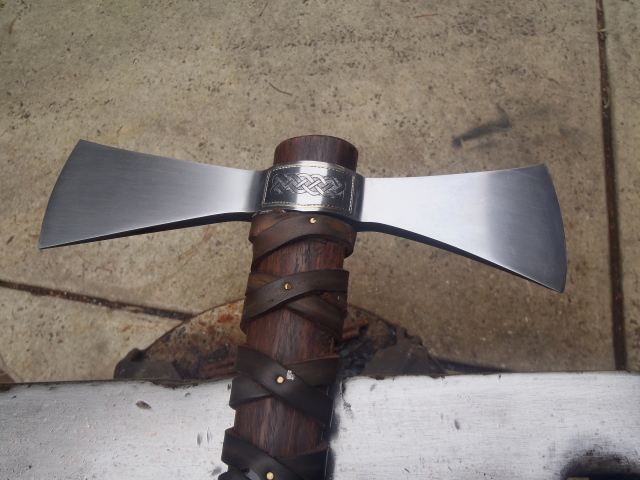
  10. Forged from 1 inch coil spotted gum haft thanks . Chris.
  11. Not to good for you health wise try to skip plated material if you can any plated that is
  12. HI Angryscraps that steel is probably crome plated too not real good for you .
  13. Hi rhitee thats a nice piece of work . Chris
  14. Hi Matt yeh that would be the way to go a bit more contrast that way too Chris.
Account

Navigation

Search

Search

Configure browser push notifications

Chrome (Android)
  1. Tap the lock icon next to the address bar.
  2. Tap Permissions → Notifications.
  3. Adjust your preference.
Chrome (Desktop)
  1. Click the padlock icon in the address bar.
  2. Select Site settings.
  3. Find Notifications and adjust your preference.