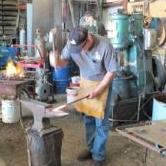
January 20, 200917 yr Hi My name is Gaylan Veater and this is my first post. I would like to say thanks to all that make this site possible and for all the blacksmiths everywhere. I have been blacksmithing for about 7years now and am currently the President of Bonneville Forge Council here in Utah. I have taken 3 One week long classes from Mark Aspery, He is a very good Blacksmith and a Great Teacher. Anyway I have been coming to this site for information for awhile and just wanted to post and say Hi and Thanks again for all that happens here. Gaylan:)
January 21, 200917 yr Gaylan Veater, I welcome you to "I Forge Iron" I have to agree with you about Mark Aspery's teaching ability, and the content of what he teaches. I have learned a lot from Mark. As a matter of fact, I am quite excited because today I just received a copy of Mark’s book; “The Skills Of A Blacksmith” Volume I -- Mastering The Fundamentals Of Blacksmithing. I already have a fine library of books and videos, but now I can see that my collection would not be complete without this stellar “Step by Step” book. In fact, I would recommend this book to anyone who is serious about learning the fundamentals of blacksmithing or tuning up their basic skills! OOOOps, Sorry (not really) but you got me started! I am pleased that you found I forge Iron. We are indeed fortunate to have a lot of excellent blacksmiths and knife makers here in Utah! Ted Throckmorton
January 21, 200917 yr Welcome to our merry band Gaylan. Or should I say glad you delurked? Glad to have you in any case. Frosty
Join the conversation
You can post now and register later. If you have an account, sign in now to post with your account.