Skip to content
View in the app

A better way to browse. Learn more.

I Forge Iron

A full-screen app on your home screen with push notifications, badges and more.

To install this app on iOS and iPadOS
  1. Tap the Share icon in Safari
  2. Scroll the menu and tap Add to Home Screen.
  3. Tap Add in the top-right corner.
To install this app on Android
  1. Tap the 3-dot menu (⋮) in the top-right corner of the browser.
  2. Tap Add to Home screen or Install app.
  3. Confirm by tapping Install.

And this, boys and girls, is why we wear PPE

Featured Replies

Lately, when using my weed whacker, watching that little plastic string lay waste to whatever it contacts - hurling stones no less -

I gain a deeper respect for the energy contained in that little disk.

Cut-off wheels do not tolerate being banged into the work, or being twisted or bent in the cut.

A three toed metal blade, or brush knife, for cutting small brush with a weed whacker (if it can take such a thing) can cut through brush 2 fingers thick. Great tool but you MUST keep it away from anything you do not want to cut.  When one side gets dull, just flip it over and continue to cut.
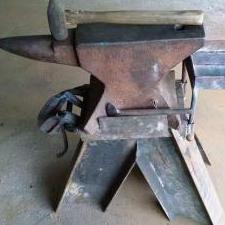
image.jpeg

Join the conversation

You can post now and register later. If you have an account, sign in now to post with your account.

Guest
Reply to this topic...

Account

Navigation

Search

Search

Configure browser push notifications

Chrome (Android)
  1. Tap the lock icon next to the address bar.
  2. Tap Permissions → Notifications.
  3. Adjust your preference.
Chrome (Desktop)
  1. Click the padlock icon in the address bar.
  2. Select Site settings.
  3. Find Notifications and adjust your preference.