November 14, 20169 yr I recently acquired a new forge made by Buffalo Forge. The forge appears to be very large and likely built for a commercial or vocational application. I would guess it to be about 3x4 feet and it sits on a single large column or pedestal with Buffalo Forge co. Cast into it. Appears to be some sort of down draft system or else it has some kind of conducted vent on the side. I have never come across another forge like it and I'm hoping that someone can steer me in the right direction. I apologize for the lack of pictures, I hope to get some up in the next few days. Thanks.
November 14, 20169 yr Photos would be a big help. There's also a thread running right now about downdraft forges; check it out.
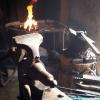
November 14, 20169 yr Author I pulled this image from another thread. This is what I have, mine is missing the hood and part of the tuyere. Does any one own one of these or know the model number? I'd like to find out how some things originally went before I plan a course of action.
November 15, 20169 yr Super easy to modify. Even make a new tuyere plate etc. for. You don't need the down draft. Cover that big hole. You adapt a hand crank blower (or electric I suppose) to the air inlet of the tuyere and you are working.
November 15, 20169 yr I have a big old champion square downdraft forge where the original hood had rotted out and been replaced with the front hood of an old volkswagon beetle...
November 16, 20169 yr Author I got looking at a Buffalo Forge catalog from 1896 and it appears that my Forge never had a hood. It lacks all the mounting holes. Instead it used a hood that was suspended over it. It does have some kind of vent on the side that I'm still not sure what it is for.
Join the conversation
You can post now and register later. If you have an account, sign in now to post with your account.