October 1, 20169 yr Thought I'd share approximately 2.7 lbs crosspein with a little file work across the top. Sitting next to a hammer blank.
October 1, 20169 yr Love the look of the hammer. I usually don't worry about my handles much, but that tree really sets the whole thing off. What grade steel was the starting stock for the head?
October 1, 20169 yr Author Thank you D.C. and Matto. It was either 4140 or 1045 I forgot which. Caleb picked up the stock and we used what he brought in to teach him to make a hammer.
October 3, 20169 yr Nice hammer Rashelle. I'm just happy to have a handle that fits and never worry about decoration. Have to lift my act.
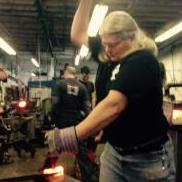
October 4, 20169 yr Author Thanks Aus. Every once in awhile I get a wild hair. It'd been awhile since I'd made a cross pein so thought it should be celebrated. Matto I had a coworker take the picture, I'm rather technically challenged, will see if I can remember to have him take another one, when we're both in, in a couple days. The tree and brush going around the bottom of the handle are wood burned on. Couldn't find my tips or even the wood burned so used a butane solderer with normal soldering tip. Thank you Adam.
Join the conversation
You can post now and register later. If you have an account, sign in now to post with your account.