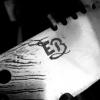
November 2, 201411 yr Hello, Long time no post... But I brought something that you might like to know: an exotic wood from Brazil that I used on this handle. Let's take a look! Steel: Damascus 1080x15n20 396 layers twisted pattern Wood: Sibipiruna (and something that I would call it as a bolster, made from Imbuia). Forged knife with 15cm lenght blade and 12 cm of handle. Finished with cyaniacrylate Quenched in oil 1 cycle of tempering at 240ºC during about one hour ( till the blade gets light yellow color). It's good to mention that, as I did on my other BBQ knife posted here, I grinded it on just one side, so one side of the blade is completly flat, like the edge of sushi knives. And the thickness of the blade is 3mm (0.117') I know that you like: PHOTOS!
November 2, 201411 yr Author More photos of the handle: That's all for today, I just fell in love with this wood, It's some kind of Ambrosia made by brazilian nature... :D Hope you like, Thanks, E.Bacha.
November 6, 201411 yr Author Hello, I feel glad to read these comments, Thanks very very much! It's good to see that steel lovers more experienced than me liked my knife. Bacha.
Join the conversation
You can post now and register later. If you have an account, sign in now to post with your account.