Skip to content
View in the app

A better way to browse. Learn more.

I Forge Iron

A full-screen app on your home screen with push notifications, badges and more.

To install this app on iOS and iPadOS
  1. Tap the Share icon in Safari
  2. Scroll the menu and tap Add to Home Screen.
  3. Tap Add in the top-right corner.
To install this app on Android
  1. Tap the 3-dot menu (⋮) in the top-right corner of the browser.
  2. Tap Add to Home screen or Install app.
  3. Confirm by tapping Install.

Newest pattern welded billet for knives.

Featured Replies

(15 x 2) = 30

30x2 = 60

60x2 = 120


We have sent you messages in the past suggesting that you pay more attention before you post things. You apparantly failed to read those. so I am forced to post it here.  Your constanyly posting with out paying attention, makes threads confusing and over complicated when you post of the wall like this. If you would read more, rather than worry about what to post, you would be able to learn.

Send over a piece and I'll count them for free.   ;)   nice work, looking forward to see where it is going to go.

  • Author

Well, I have cranked out a few blade that are just about ready for heat treat - Here's a few pics:
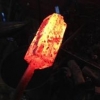
post-27724-0-45615700-1403877653_thumb.j

post-27724-0-35102200-1403877664_thumb.j

post-27724-0-37333300-1403877679_thumb.j

Join the conversation

You can post now and register later. If you have an account, sign in now to post with your account.

Guest
Reply to this topic...

Account

Navigation

Search

Search

Configure browser push notifications

Chrome (Android)
  1. Tap the lock icon next to the address bar.
  2. Tap Permissions → Notifications.
  3. Adjust your preference.
Chrome (Desktop)
  1. Click the padlock icon in the address bar.
  2. Select Site settings.
  3. Find Notifications and adjust your preference.