Skip to content
View in the app

A better way to browse. Learn more.

I Forge Iron

A full-screen app on your home screen with push notifications, badges and more.

To install this app on iOS and iPadOS
  1. Tap the Share icon in Safari
  2. Scroll the menu and tap Add to Home Screen.
  3. Tap Add in the top-right corner.
To install this app on Android
  1. Tap the 3-dot menu (⋮) in the top-right corner of the browser.
  2. Tap Add to Home screen or Install app.
  3. Confirm by tapping Install.

Forged frame lock

Featured Replies

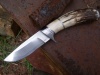
Forged 5160 blade and titanium frame, clip, carbon fiber onlay. Thanks for looking

post-4209-014493400 1285592232_thumb.jpg

post-4209-027678200 1285592244_thumb.jpg

Wow! Sweet looking knife. Great detail work. Thanks for posting.


Mitch

  • 2 weeks later...

Very nice knife all round!

How's about putting your name and general location in your header so when us old farts are traveling we'll know who's close if we want a snack or spot to nap. Oh yeah, the name part helps if we have to ask directions. :rolleyes:

Frosty the Lucky.

  • 2 months later...

I love the clean design of this knife. The plunge cut is very graceful. I also like that you used 5160 on such an otherwise technical knife; you don't see carbon steels paired with carbon fiber and TI very often. I made a linerlock last winter with G10 scales over carbon spring steel liners and a W1 blade, a bit similar.

Lovely lines and curves, both in the profile of blade and handle and in the harmonizing plunge. Beautiful work.
  • Author

Thanks for the comments guys, 5160 is one of my favorite steels.

  • 9 months later...
  • 1 year later...

Join the conversation

You can post now and register later. If you have an account, sign in now to post with your account.

Guest
Reply to this topic...

Account

Navigation

Search

Search

Configure browser push notifications

Chrome (Android)
  1. Tap the lock icon next to the address bar.
  2. Tap Permissions → Notifications.
  3. Adjust your preference.
Chrome (Desktop)
  1. Click the padlock icon in the address bar.
  2. Select Site settings.
  3. Find Notifications and adjust your preference.