beth
Members
-
Joined
-
Last visited
Everything posted by beth
-
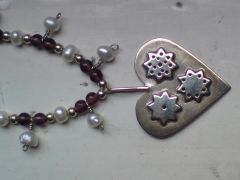 i do a bit of self taught silver work but its a bit stressful really!
 -
-
-
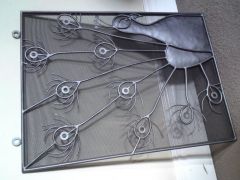 i made this for my dad but i didnt have my forge only an acetalene torch and a vise
 -
-
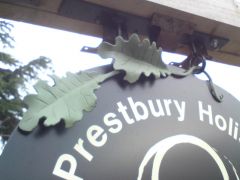
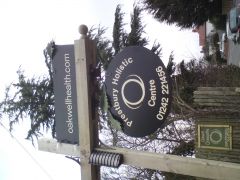 i made this for a friends clinic and it is my first proper job. i didnt do the signwriting just the sins and leaves, I did make some nice hanging fixings so that the sign wouldnt get stolen but they kind of put some other stuff on which i thought made it look a bit weird..!
 -
thats a sweet leaf - i love how every hand made leaf is so different, lets keep making them!
-
anyone who is creative just for the love of it - doesnt matter what material they are using- also people who arent prescious and dont mind sharing the knowledge around xx
-
-
tzonoqua you have made me laugh with your cheap bbq tongs! my husband is a tree surgeon and delivers beautifully cut split wood to everybody, whilst we are in our garden hacking up old furniture and lorry pallets... we are all doing it - you have to laugh!
-
hi colleen i love your shoe rack! how i could do with one myself.. i agree with finn its a shame that we always cut corners in our own homes and put ll the love and effort into things for customers and everyone else. tho theres nothing wrong with making a decision to speed up the process so that the job actualy gets done. i really like it
-
hi adrian, this is my first time on this site and yours was the first work i saw so im going to say hello to you! i love the pictures its always great seeing other peoples work, i really like the gates they are kind of cartoon like to me which i love. when i finish what im working on maybe i will be brave enough to stick a photo on..!