Jim Poulmas
Members
-
Joined
-
Last visited
-
-
-
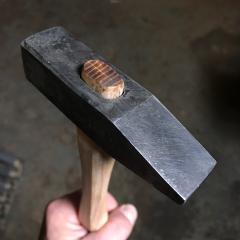
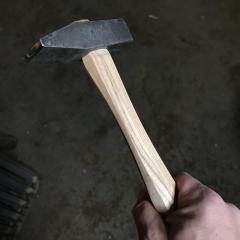
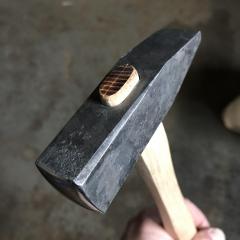 Just finishing up this bench hammer. It’s about three quarters of a pound. Good addition to the bench for layout and small rivets.
 -
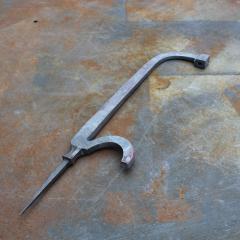 These are stand alone classes. I took this one at the Center for Metal Arts in Florida, NY. Recently he was up in Maine at the New England School of Metalwork. Not sure where he'll be next.
 -
Thanks. Grab a class if you can. It's well worth it. I'm not on FB but he's been posting updates on Instagram for the chest he's building. It's got like 10 spring loaded dead bolts, all forged and filed. It's nuts. There really isn't anyone doing anything close to what he's up to. I know he did do some work with Peter but I'm not sure to what extent. When I wrap this up I'll make sure and post a photo. Next project is going to be a hand vise. I'm really excited to get started on that. Jim
-
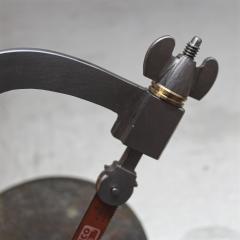 The frame, the bolt, and the wingnut are forged at the anvil and then filed at the bench. I turned a decorative bronze rivet on the lathe. This is from Seth Gould's three day hacksaw class at the Center for Metal Arts in Florida, NY.
 -
This is a hacksaw frame, as forged. The rest is filing and fit up.
-
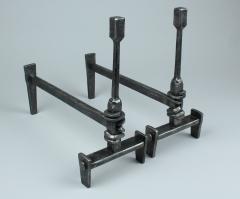 Forged andirons with wrapped joints and tenon joinery. 2016
 -
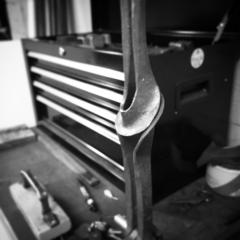 No problem. No, this isn't mine. Or anybody's really. The most I've seen in print about this type of form is from Heikki Seppa's Form Emphasis for Metalsmiths. There was a bend involving the first two steps that I learned from Brian Brazeal, which he got in the Czech Republic. But it all goes back further than that. These types of bends have been around since antiquity. Maybe I can draw that one up tomorrow.
 -
-
Thanks. The first step is take a piece of stock and bend it in half. The next step is to draw out the bend so it flairs out. Basically, we're flattening the end. The two legs don't need an even space between them when you do this - as you hammer that bend they'll want to come together. Once you have the end flared out to your liking you have to bend it again. I'm not sure how to convey this with a keyboard but I'll try. So, if you have flattened the end on the anvil you would move it over to a swage block and keeping it in the same orientation, use a cross pein to 'fold it in half' again by dishing it. But you're folding it 'up'. This gives it the general shape. The last step is to knock the edge over a little bit. I'll attach a drawing in a bit. I think that will be better. It's kind of hard to explain but pretty easy to do.
-
-
-
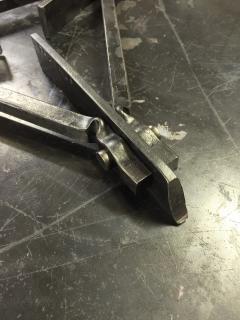 This is a detail of a trivet I made at the Center for Metal Arts in New York. I darkened it up with some bees' wax.
 -
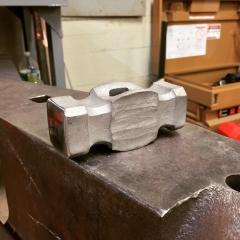 This is a little 2 pound rounder I started to polish up. I enjoy working with square stock.