Skip to content
View in the app

A better way to browse. Learn more.

I Forge Iron

A full-screen app on your home screen with push notifications, badges and more.

To install this app on iOS and iPadOS
  1. Tap the Share icon in Safari
  2. Scroll the menu and tap Add to Home Screen.
  3. Tap Add in the top-right corner.
To install this app on Android
  1. Tap the 3-dot menu (⋮) in the top-right corner of the browser.
  2. Tap Add to Home screen or Install app.
  3. Confirm by tapping Install.

cbl4823

Members
  • Joined

  • Last visited

Everything posted by cbl4823

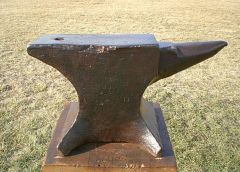
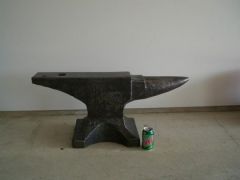
  1. cbl4823 posted a gallery image in Member Galleries
  2. Im working on putting together a site for my pictures, hopefully I dont offend any blacksmiths out there, but so far I have owned 49 anvils.
  3. Hello everyone, this is my first time posting on this forum. I am an anvil collector looking for unique and rare pictures of anvils you may have or have come across. Also looking for any kind of pictures of OLD ENGLISH anvils. Anything 1780-1850. Please post them to the IForgeIron Gallery or this thread. Thank You
Account

Navigation

Search

Search

Configure browser push notifications

Chrome (Android)
  1. Tap the lock icon next to the address bar.
  2. Tap Permissions → Notifications.
  3. Adjust your preference.
Chrome (Desktop)
  1. Click the padlock icon in the address bar.
  2. Select Site settings.
  3. Find Notifications and adjust your preference.