Skip to content
View in the app

A better way to browse. Learn more.

I Forge Iron

A full-screen app on your home screen with push notifications, badges and more.

To install this app on iOS and iPadOS
  1. Tap the Share icon in Safari
  2. Scroll the menu and tap Add to Home Screen.
  3. Tap Add in the top-right corner.
To install this app on Android
  1. Tap the 3-dot menu (⋮) in the top-right corner of the browser.
  2. Tap Add to Home screen or Install app.
  3. Confirm by tapping Install.

Finally got my post vise

Featured Replies

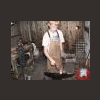
Well after a few painfull months i hae finally gotten my post vise, i build a workbench for it on sunday and mounted it on monday, the day i got it, i havent gotten to use it yet but i will soon,
the workbench has a sink on the side to save the house sink and walls, it is a old bbq lid and works good!

last pic is the sink in action..

10994.attach

10995.attach

10996.attach

10997.attach

10998.attach

  • Author

hehe i know! was going to use a hamster cage bottom but this was better :)
Nice find, looks exactly like the one i got a couple weeks ago.

way to go sabre congratz

Join the conversation

You can post now and register later. If you have an account, sign in now to post with your account.

Guest
Reply to this topic...

Account

Navigation

Search

Search

Configure browser push notifications

Chrome (Android)
  1. Tap the lock icon next to the address bar.
  2. Tap Permissions → Notifications.
  3. Adjust your preference.
Chrome (Desktop)
  1. Click the padlock icon in the address bar.
  2. Select Site settings.
  3. Find Notifications and adjust your preference.