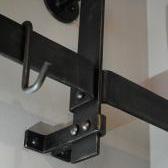
November 5, 20178 yr My hope for this thread is that folks will post pictures of their ironwork that has a colourful paint finish, (not black) with specific paint colour codes or paint name information. Please only post pictures of colourful work if you know the colour information. Folks will have to bare in mind that cameras & computers all have different colour biases, so this is a thread for folks to simply get inspiration for colours that they may want to investigate further & use on their own work. I'll get the ball rolling; this is RAL 6002 "Leaf Green" on a sign bracket I'm waiting to install.
November 5, 20178 yr I guess i cannot participate in this thread. My philosophy has always been the same as Henry Ford's; You can have it any color you want, as long as its black.
November 6, 20178 yr Dimitri Gerakaris, one of the founding members of ABANA, uses (used?) bold paint colors to good effect on some of his pieces. Google as needed. A splash of something other than black can really make something pop. Here is my example. Sandblasted and zinc solids primer before asembly, then etching primer, 2 part epoxy black base, Rustoleum gloss red.
Join the conversation
You can post now and register later. If you have an account, sign in now to post with your account.