Skip to content
View in the app

A better way to browse. Learn more.

I Forge Iron

A full-screen app on your home screen with push notifications, badges and more.

To install this app on iOS and iPadOS
  1. Tap the Share icon in Safari
  2. Scroll the menu and tap Add to Home Screen.
  3. Tap Add in the top-right corner.
To install this app on Android
  1. Tap the 3-dot menu (⋮) in the top-right corner of the browser.
  2. Tap Add to Home screen or Install app.
  3. Confirm by tapping Install.

Featured Replies

Hey!!
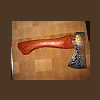
Did some axe today for Santa if he come

4540.attach

I look like Santa! That should count....what alloys did you use?

When I first saw the thumbnail picture I though of that silver inlaid axe from the viking period!

That is fine;again what alloy's did you use????????

It is obscenely beautiful!! :)

  • Author

Thanks for your judgement on the axe :)
Cegga

Hello Cegga ....What steels you use to get as strong a contrast? (I understand that I am the 3rd to ask this question)
Super work !!!!!
  • Author

This axe are made of damasteel

  • 2 years later...

Join the conversation

You can post now and register later. If you have an account, sign in now to post with your account.

Guest
Reply to this topic...

Account

Navigation

Search

Search

Configure browser push notifications

Chrome (Android)
  1. Tap the lock icon next to the address bar.
  2. Tap Permissions → Notifications.
  3. Adjust your preference.
Chrome (Desktop)
  1. Click the padlock icon in the address bar.
  2. Select Site settings.
  3. Find Notifications and adjust your preference.