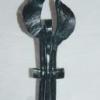
May 24, 201214 yr Picked up this cute little saw recently, it works but has some issues. There is a hydraulic down-feed that has a pump to lift the blade on the forward stroke. I have it apart as shown in the pictures. I would like to know what I should put in the well, will TDH fluid work or should it be motor oil or even the same soluble oil that I've put in the coolant tank? If anyone has any info on these saws would appreciate it.
May 25, 201214 yr TDH fluid? Is the well a settling tank for the cuttings? Is it connected to the coolant tank? If yes, then use whatever you're using for coolant. If not I can't say without being able to lay hands on it and follow the bits. Frosty The Lucky.
May 25, 201214 yr Author Its not connected to the coolant tank, the well holds whatever fluid the downfeed uses. I will go to the shop and take another picture with it all together. TDH is general purpose hydraulic fluid.
May 26, 201214 yr Jim, How long are those blades? I was given a number of tungsten blades (new) and will be happy to send them to you if you can use them. I'll measure tomorrow. John
May 26, 201214 yr Author The blade is 12 inches long, it came with a few blades but none of them new. I'm sure I could come up with postage, or maybe I have something you need, my wife would say I have a surprising number of things that she has no idea what they are ;)
Join the conversation
You can post now and register later. If you have an account, sign in now to post with your account.