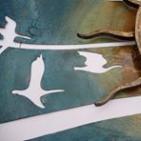
February 13, 201214 yr Here is a piece that i donated to the raffle at our church ball. I tough it would be a good advertising but nothing big has happend. I didn´t make the wooden part, it was a cooperation with my friend. Another good friend of mine has won it hope you like it
February 13, 201214 yr this is fantastic i am betting it brought is some bucks for the church this would be a heck of a piece for any local vineyard or restaurant
February 13, 201214 yr That is a NICE piece of work Marek. Donating work for church fundraisers is good publicity, it's just not an every time thing, sometimes it makes a public splash, sometimes it just gets bought quietly like this time. It IS however good publicity parishioners will tell people and refer you. Think of it as paying ahead, good works will come back to you, and this is good. Frosty The Lucky.
February 14, 201214 yr Very inspiring. Makes me want to leave work early and go home and fire up the power hammer. Thank you for your generousity in placing a piece like that up for raffle. Its nice when folks get to own something like that. Thanks for posting. Spears.
Join the conversation
You can post now and register later. If you have an account, sign in now to post with your account.