Phil_C
Members
-
Joined
-
Last visited
-
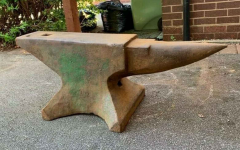 The Warranted Number (76) appears to have been used by the 'Salford B (Lancashire Co)' warranty authority between 1879 and 31/3/1974. So presumably ably the anvil dates to sometime between these dates.
 -
-
-
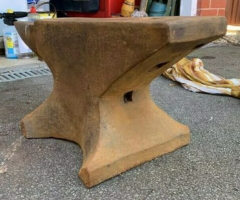
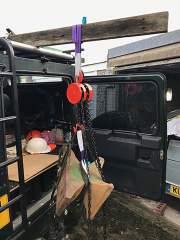 Getting it home - 297 lbs - this was the only way I could get it in and out of the Landrover. Once installed it isn't going to get moved much
 -
-
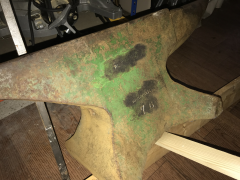
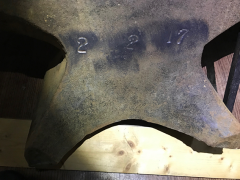
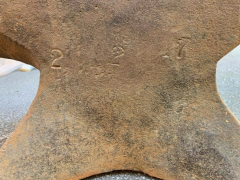
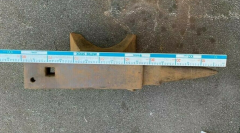
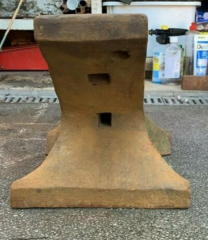
OK, got this home today, it is a brute - 2-2-17 not 2-2-7. so actually 297 lbs. But otherwise seems in good condition. I have wire brushed off the area above the "Warrantied" stamp and there is another word/name there. At a guess it says "Birmingham" but it is very indistinct. Anyone got any ideas how I could make the impression more readable. I have tried chalk rubbing, but it doesn't help much. I will post a couple of pictures of the cleaned up areas.
-
Thanks Steve, I hope it is as good as it looks. Just need to learn what to do with it now
-
Odd - I have put my exact location on my profile so I wonder why it doesn't show. I'm in the UK, right by the town of Luton. But the anvil is further up north from me. I'll pick it up on Friday . Looking forward to it Over here that is about a quarter f what they will usually go for.
-
I reckoned 287, and yes looks good. Unfortunately I can't pick it up until next week, so I don't have any chance to have a better look until I do. The stamp on the side says "warranted 76" It was cheap for an anvil over here so I had to take the plunge on faith or it would have gone. just done the conversion - 275 USD so less than a dollar a pound
-
Thanks - I've posted some more pics to the gallery, but they are all I have until I can pick it up next week. I plan to strip and de-rust it then I'll see what other marks there are.
-
Added some more pic's to the gallery. - at least thanks to IFC I now know it is an anvil so I'm making progress.
-
-
-
-