Skip to content
View in the app

A better way to browse. Learn more.

I Forge Iron

A full-screen app on your home screen with push notifications, badges and more.

To install this app on iOS and iPadOS
  1. Tap the Share icon in Safari
  2. Scroll the menu and tap Add to Home Screen.
  3. Tap Add in the top-right corner.
To install this app on Android
  1. Tap the 3-dot menu (⋮) in the top-right corner of the browser.
  2. Tap Add to Home screen or Install app.
  3. Confirm by tapping Install.

Gdawg

Members
  • Joined

  • Last visited

Everything posted by Gdawg

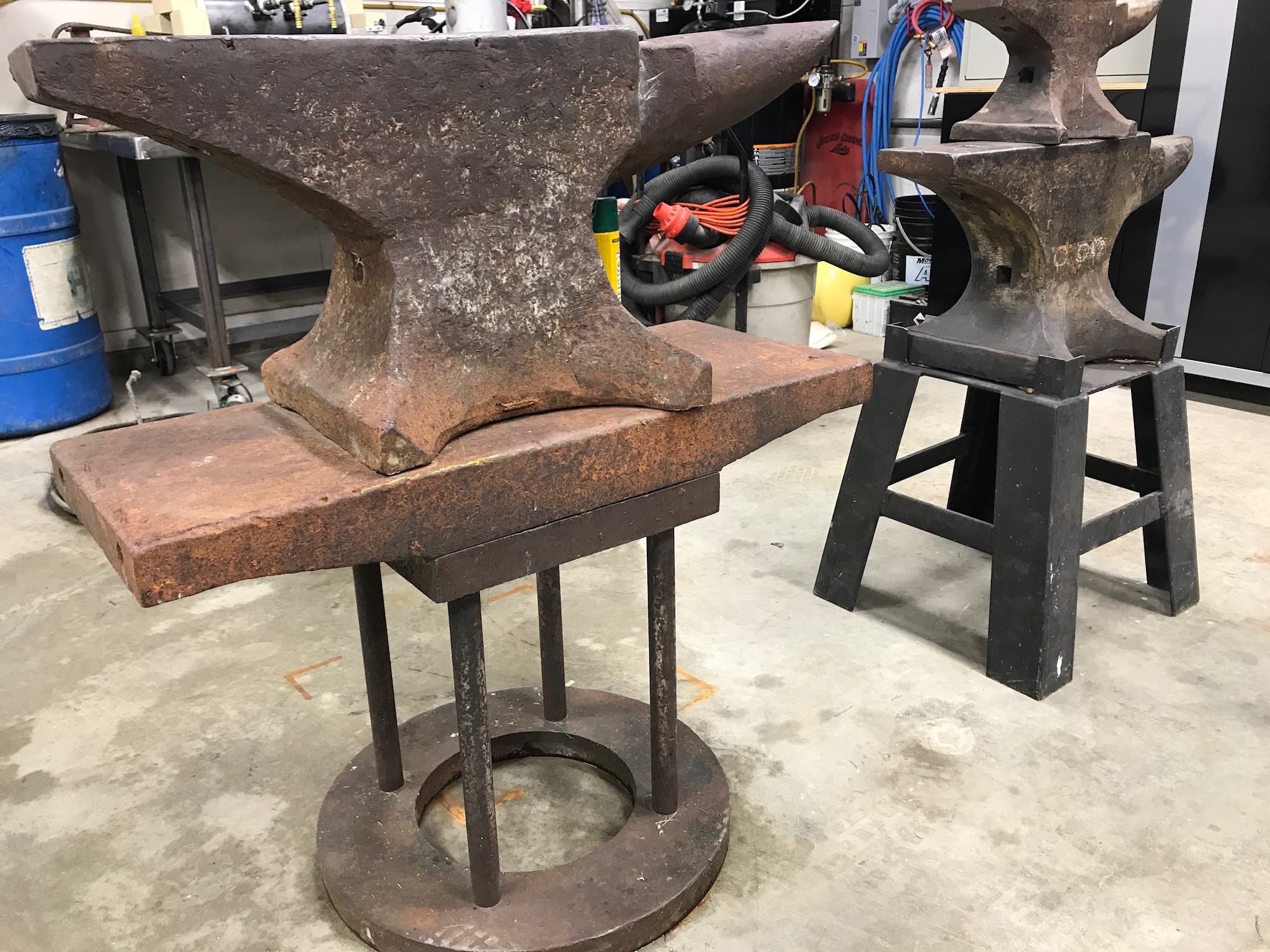
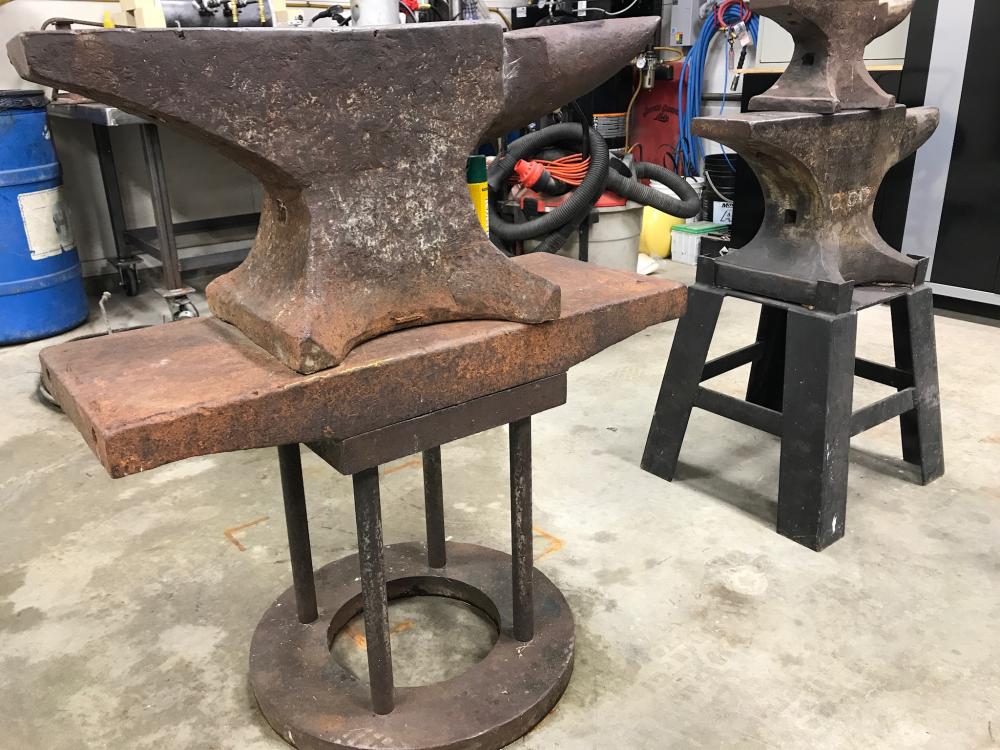
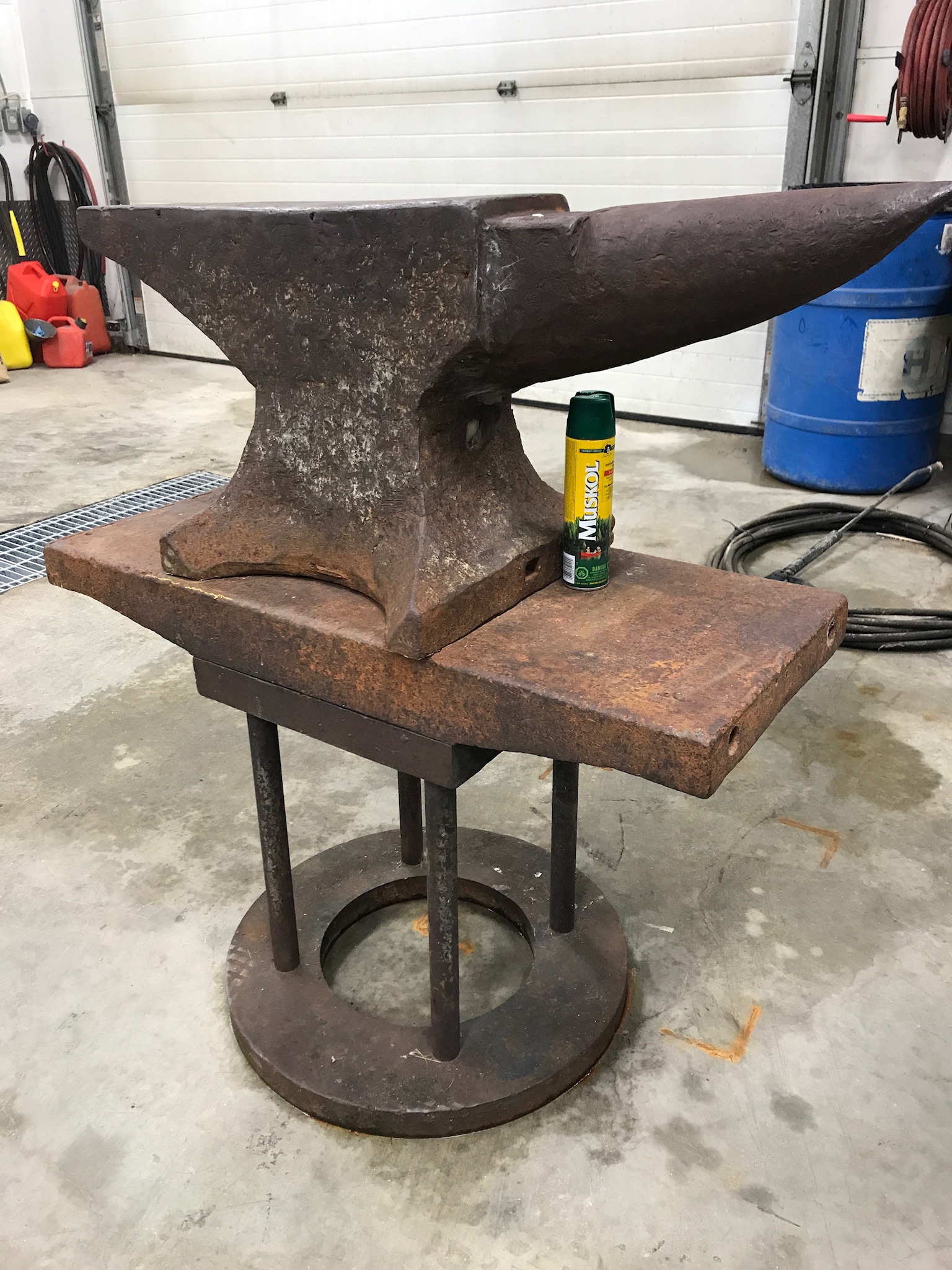
  1. Yes, it does say mouse hole. I will take more picture of the base. If you look closely you will see a definite shape and holes on the side of the horizontal piece. The two bottom pieces interlock with precision. Definitely not home made. I was told it came from CN. Thanks I this picture is just a different angle that I had on file
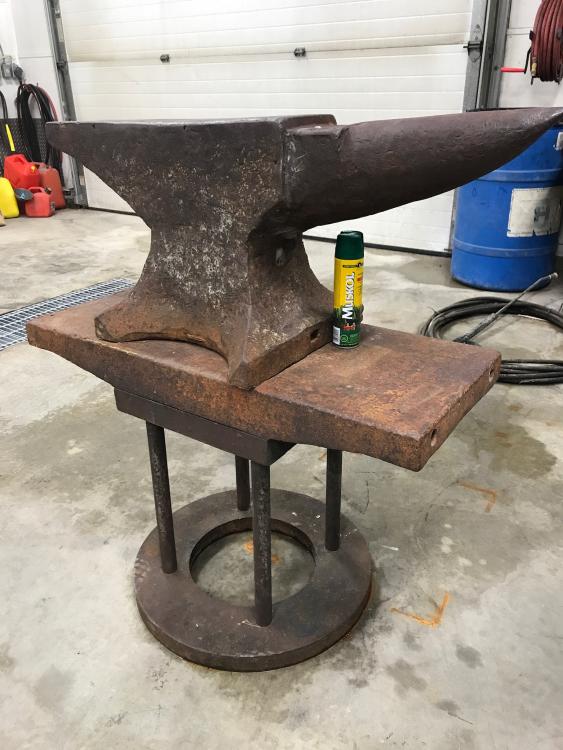
  2. Hi, I'm new here. Thanks for having me. I bought this mouse hole anvil along with the base. I know they don't really belong together but I just can't find anything like this base on the internet.
Account

Navigation

Search

Search

Configure browser push notifications

Chrome (Android)
  1. Tap the lock icon next to the address bar.
  2. Tap Permissions → Notifications.
  3. Adjust your preference.
Chrome (Desktop)
  1. Click the padlock icon in the address bar.
  2. Select Site settings.
  3. Find Notifications and adjust your preference.