creek
Members
-
Joined
-
Last visited
Everything posted by creek
-
-
-
-
-
-
-
what's the site address?
-
great job! keep up the good work! my daughter is starting to show signs of interest also.
-
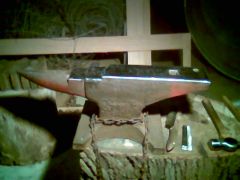
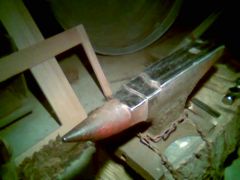
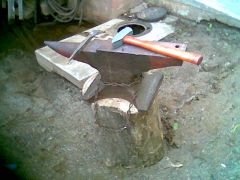 this is an anvil that I recently inhereted, it was my great grandfather's that he used from 1915 to 1946 in the oil fields, in Oklahoma, as a tool maker and blacksmith. As you can see the face has a couple of chips in it but still very hard. The body has been welded all the way around the throat and waist. As far as what kind it is I am not sure, the hammer is there for sizing (3lbs craftsmen). Any suggestions let me know! I believe it might be a Hay- Budden. Think it is too slim to be a Peter Wright.
 -
Thanks larrynjr and jimbob, what type of steel are they made of for heat treating?
-
I was going through my scrap pile and found a large amount of lawnmower blades. Don't know where they came from but there are plenty! already made a stool out of some, good for elevating the feet or reaching the top shelves, but was wondering if any of you had any other ideas of uses for them? They seem to run 24 x 2 inches.
-
I recently came across my great grandpa's forge and hand crank blower made by Buffalo Forge Company. I'm guessing it is over 70 years old. I just started restoring it and was wondering if anyone had an idea where and if there is a catalog, with pictures perferably, of the hand crank and forge models that the company made. or if you all had any info on them. Thanks for you time and Knowledge! Creek
-
I recieved the news letter today. I am glad to see you here at iforgeiron. I would like to say "Thank You," for letting me join your guilde even though I am located in oklahoma. I am planning on moving back to independece va hopefully this fall 2007. Another site worth seeing is beautifuliron.com. Thanks again hope to be back in Virginia soon.