January 16, 200917 yr Hello everyone, My name is Tom and I am from Michigan. THis is a really cool site. I am always messing around with steel and fabricating and decided to join the site so I can post stuff. I also own a shop that makes steel stamps and engraves just about anthing. If I can help anyone with advice feel free to ask. Also a motor head basically if it moves.... I like it.
January 17, 200917 yr Welcome Stampman to the best site on the web. Lots of helpfull and knowledgeable people on here and from your introduction I would say you are going to be a welcome addition. There is quite a bit of interest in making 'touchmarks' around this site and it sounds like you may be one of the 'go-to' guys! Once again... welcome!:D
January 17, 200917 yr Welcome to our merry mob Stampman, glad to have ya. You may become really popular around here, lots of guys want, some need a touchmark. Do you have a website? Frosty
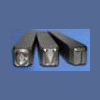
January 19, 200917 yr Author Thanks for the warm welcome. And yes I have a website here is direct link for engraved stamps. Hope I can be of help. I have been answering a few PM's and If anyone has any questions which may require lots of comunication you can always e-mail me at [email protected]Custom Steel Hand Stamps I can post a thread but I did not want to appear like I was trying to solicit or anything like that. Just a steel guy who likes this kind of stuff. So if any admin people see me do anything not up to snuff please let me know. :)
Join the conversation
You can post now and register later. If you have an account, sign in now to post with your account.