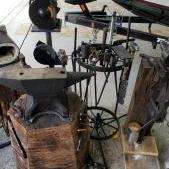
July 13, 20197 yr I have a pheer grinder coming next week, and in preparation for it I have been working on this shavings catcher. I need a small piece of pipe to attach a blast gate for the vaccuum when working with wood. I will cut the 4 inch pipe to size once the grinder shows up. Going to run it all the way through the sleeve and have it a few inches above the water. Any other recommendations for this setup? I am really sick of the dust.
July 14, 20197 yr Make sure no sparks can get to dust in the vac bag. I don't know if just being directed AT water will do it but maybe. Frosty The Lucky.
July 14, 20197 yr You might want to put a deflector at one of the openings into the can to create a swirling vortex. That throws the fines toward the outside via centrifugal force and can improve separation. It's a bit more complicated in that the inlet and outlet are usually at slightly different levels plus some other things...but a little internet fu in searching will give you better ideas on how to handle it.
July 14, 20197 yr Author Thanks guys, I will have a better idea once I get the grinder going. I was looking at a dust deputy type apparatus.
July 18, 20197 yr Author It probably didn't even need it since I had to lube it up to slide it into the rubber sleeve, but 5" muffler clamps were a perfect fit and will not interfere with the 2.5 vacuum connection.
Join the conversation
You can post now and register later. If you have an account, sign in now to post with your account.