March 1, 201214 yr Well I tried to access the video from several avenues and ran up blind alley's looking for the supposed plans for the copy listed on IFI threads and www links.... but they no longer seem to exist anywhere... I'm guessing something happened to the site that erased information at some point in time... Anyone have details on that homebuilt Depew Copy ? It looks to be about 40" tall as near as I can tell. Thanks...
March 1, 201214 yr Make it with an anvil height that's comfortable for you. If you have a solid anvil, it's going to have a lot better than the 10:1 anvil-to-ram-weight ratio folks talk about a power hammer needing.
March 1, 201214 yr I looked at the Depew original the homemade one replicates and even if the main body is cast the anvil resembles a T-beam connected to the rear portion of the frame.....Your point is well taken and a solid anvil should improve it's working ability.. I finally found the video of the original Depew ,but it seems the plans of the homebuilt copy have been lost in cyber-space...Too bad nice hammer design.. and nice execution of the plans by coolhand...
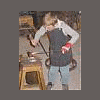
March 1, 201214 yr Stormcrow... Try this link http://smg.photobucket.com/albums/v81/irnsrgn/?action=view¤t=depewaction.mp4 If that doesn't work just shout. I found it saved on another forum and then opened it up so I could post the video directly instead of doing something unacceptable by listing another forum here.
Join the conversation
You can post now and register later. If you have an account, sign in now to post with your account.