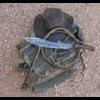
September 21, 20178 yr A couple of knives that went out into the world not too long back. Forged 80CrV2, approximately 6 1/2" blades, marine epoxy-impregnated paracord handles, Kydex sheaths. The usual from me. First up is a long drop point bushcraft knife that went to a bushcraft school owner. busa02 by James Helm, on Flickr Then a Mean Little Sucker tanto to a LEO. mls02 by James Helm, on Flickr mls03 by James Helm, on Flickr mls05 by James Helm, on Flickr And some pics that past customers have sent me recently of their blades set up on their gear. A Ranger sniper. sniper01 by James Helm, on Flickr A Texas SWAT team member. swat01 by James Helm, on Flickr And a fellow who helped with dealing with Hurricane Harvey's aftermath took this prototype Fire Chief rescue 'hawk with him. Untitled by James Helm, on Flickr
September 21, 20178 yr James, it's so awesome to see people rocking your gear with such pride. #snackbreak
September 21, 20178 yr Benton summed it up better than I could put it. Loved looking at this. Great stuff! Can't decide whether I like the drop point or tanto best, both really nice.
Join the conversation
You can post now and register later. If you have an account, sign in now to post with your account.