Skip to content
View in the app

A better way to browse. Learn more.

I Forge Iron

A full-screen app on your home screen with push notifications, badges and more.

To install this app on iOS and iPadOS
  1. Tap the Share icon in Safari
  2. Scroll the menu and tap Add to Home Screen.
  3. Tap Add in the top-right corner.
To install this app on Android
  1. Tap the 3-dot menu (⋮) in the top-right corner of the browser.
  2. Tap Add to Home screen or Install app.
  3. Confirm by tapping Install.

Help me identify this small vehicle piece

Featured Replies

Hello everyone!

I recently picked up some scrap from an old vehicle and found a piece whose cylinder looks very much like stainless steel.
Do you know what steel it is? Can it be forged or is it dangerous?
 

side1.thumb.jpg.39b97eedcb30768d997df74ddc7c8dad.jpg

side2.thumb.jpg.539b95628c4d786c2fb760fa6e702f57.jpg

a150_2.thumb.jpg.000f85a1d1f769bcd4b530737f498baf.jpg

Greetings X,

         That would be a steering shaf from I would guess a piece of farm equipment. I don't think it is automtive because the pinion would have been in a lube atmosphere. Nope not stainless. I would spark test it for some idea of carbon content. More than likely lower content carbon. I hope this helps. 

Forge on and make beautiful things 

Jim

  • Author

Jim Coke, you guessed right!

I did the spark test on the piece and there was a lot of sparks with a fair amount of splits.
Thanks to your help, I believe that it would be between low carbon to medium carbon steel.

I am happy with the result because I would rather work with simple steels as I am a beginner.
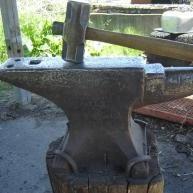
 

It will still be pretty hard to work, it is a large lump of metal!

Join the conversation

You can post now and register later. If you have an account, sign in now to post with your account.

Guest
Reply to this topic...

Account

Navigation

Search

Search

Configure browser push notifications

Chrome (Android)
  1. Tap the lock icon next to the address bar.
  2. Tap Permissions → Notifications.
  3. Adjust your preference.
Chrome (Desktop)
  1. Click the padlock icon in the address bar.
  2. Select Site settings.
  3. Find Notifications and adjust your preference.