Skip to content
View in the app

A better way to browse. Learn more.

I Forge Iron

A full-screen app on your home screen with push notifications, badges and more.

To install this app on iOS and iPadOS
  1. Tap the Share icon in Safari
  2. Scroll the menu and tap Add to Home Screen.
  3. Tap Add in the top-right corner.
To install this app on Android
  1. Tap the 3-dot menu (⋮) in the top-right corner of the browser.
  2. Tap Add to Home screen or Install app.
  3. Confirm by tapping Install.

"Bargain" anvil.....

Featured Replies

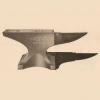
This one just showed up on my local Craigslist.  $500 asking price and a corner of the face is long gone.  Maybe this one could have been advertised as having "1 1/2 tables" :D  Perhaps the asking price reflects the bonus cigarette butts that come as a package deal with the anvil.  Yikes!


3Gc3L53M55E25Kf5Med63ae29de08e02c1aab.jp

It does not tell what it is and the face is broken ,Yes I could fix it but would NOT touch it at that Price .


Sam

Greetings ,


I would have to consult with Frosty but I would say  DOORSTOP !!!!!!!

wow it took that guy 6 smokes to take a picture and that was the best one he could get......
Join the conversation

You can post now and register later. If you have an account, sign in now to post with your account.

Guest
Reply to this topic...

Account

Navigation

Search

Search

Configure browser push notifications

Chrome (Android)
  1. Tap the lock icon next to the address bar.
  2. Tap Permissions → Notifications.
  3. Adjust your preference.
Chrome (Desktop)
  1. Click the padlock icon in the address bar.
  2. Select Site settings.
  3. Find Notifications and adjust your preference.