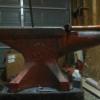
April 8, 201313 yr I just got this baby unloaded this past saturday. Havent even gotten it wired up yet, but I cannot wait. US Burke right out of Cincinnati.
April 9, 201313 yr Author I am very pleased. I got some tooling cheap off of craigslist so I am anxious to start making chips. I have used one before, but anyone have any good ideas for beginner/practice ideas?
May 7, 201313 yr Author My VFD to wire it up should arrive today. I am hopeful to see it run this coming weekend.
May 8, 201313 yr I have used one before, but anyone have any good ideas for beginner/practice ideas? One of the basic projects they have us do at the machines shop at the college is a tap block. Take a block of steel or aluminum, say something along the lines of 2.5" x 6" x 1/2". Square the corners and mill sides down to a specified size, face the top and bottom, and drill/tap holes for a handful of different common taps. Make sure the holes are all perfectly, evenly spaced! ;) Then if you want to, you use punches to mark what hole is what size. Nice little block to store your taps, or check the size of an unknown one.
May 9, 201313 yr First things first..........Before you make anything if you don't know how ? Learn to trammel the head to the table and square the vise to your axis's, other wise everything you try to make will be out of true and probably just plain junk. Just my two cents
May 16, 201313 yr Author Thanks doc, I was figuring that was a given, but always best to be sure. The tap block does sound like a good project.
Join the conversation
You can post now and register later. If you have an account, sign in now to post with your account.