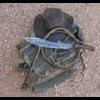
May 25, 201115 yr This knife was ordered by a Vietnam vet. He wanted a small utility neck knife with some self defense capability. He liked the knife I made for my girlfriend, so we went with a scaled-down version with a forge finish. When I saw his Purple Heart license plates, I suggested using purple heart wood for the handle. He liked the idea, and added that he'd like to incorporate some antler. He brought an antler in, we talked it over and settled on a design. The blade is pretty small. It's forged from 5160, with a forge finished double guard. The sheath is made by knifemaker Luke Swenson since I don't work leather. As soon as Luke found out the customer was a Vietnam veteran, he dropped the price to half, and when he found out he was a Purple Heart, he said he'd make it for free. I was unable to financially be as generous, but I charged the minimum price. The customer was very pleased, and ended up giving each of us a small abstract painting from a series he had painted (he's an artist) in gratitude. Mine's orange, predominently. I like it! The customer wanted a neck sheath. Luke built one that could be rigged with a neck thong or could be worn on a belt. The customer was very happy with what we made for him.
May 25, 201115 yr I like that look! No question about it...it's custom made. That's no store bought knife.
June 12, 201114 yr A knife to suit the owner.. its great to know the knife you make will be truly cherished!
Join the conversation
You can post now and register later. If you have an account, sign in now to post with your account.