Skip to content
View in the app

A better way to browse. Learn more.

I Forge Iron

A full-screen app on your home screen with push notifications, badges and more.

To install this app on iOS and iPadOS
  1. Tap the Share icon in Safari
  2. Scroll the menu and tap Add to Home Screen.
  3. Tap Add in the top-right corner.
To install this app on Android
  1. Tap the 3-dot menu (⋮) in the top-right corner of the browser.
  2. Tap Add to Home screen or Install app.
  3. Confirm by tapping Install.

Jsanvil1987

Members
  • Joined

  • Last visited

  1. Thank you so much! I appreciate it
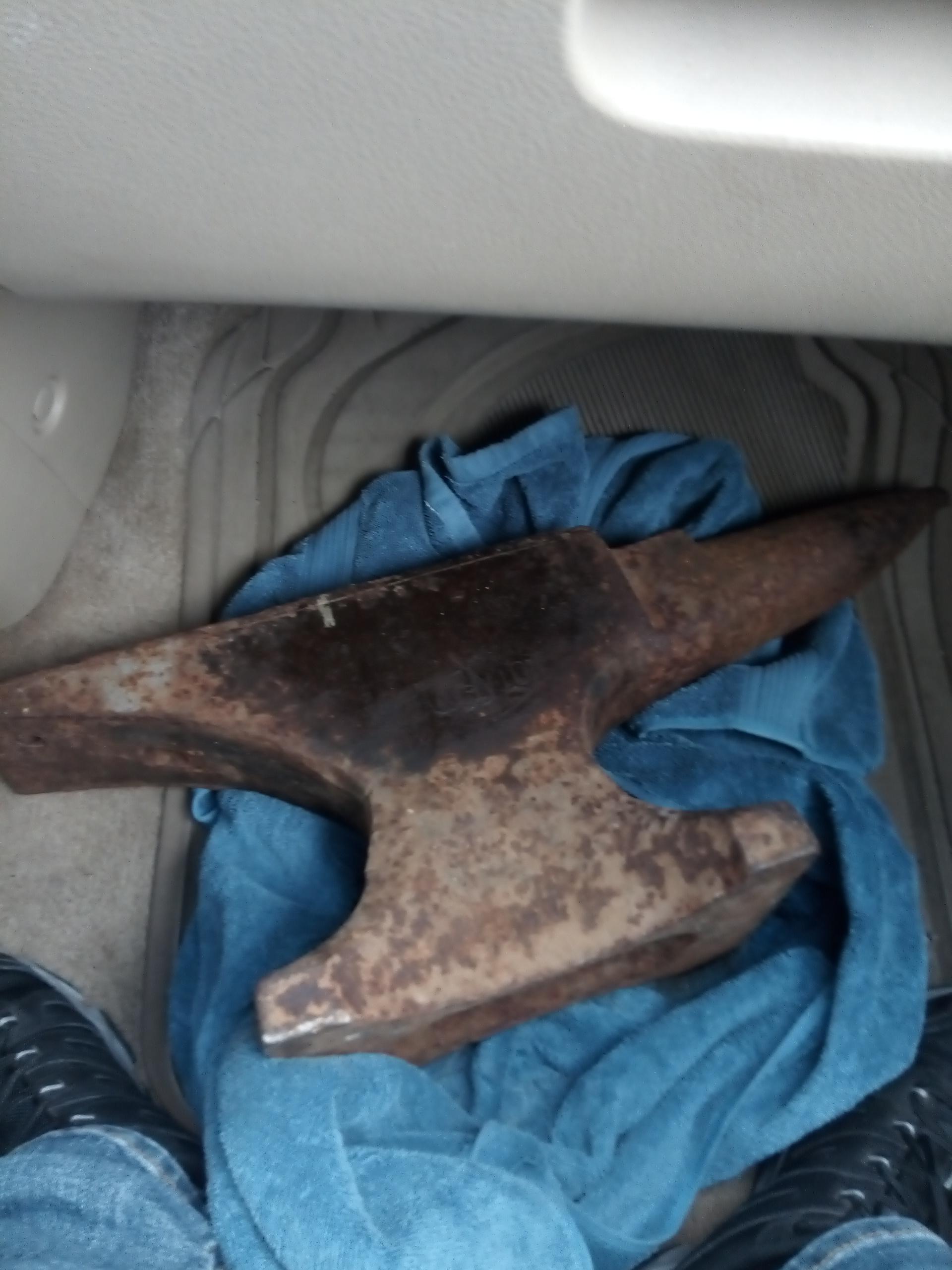
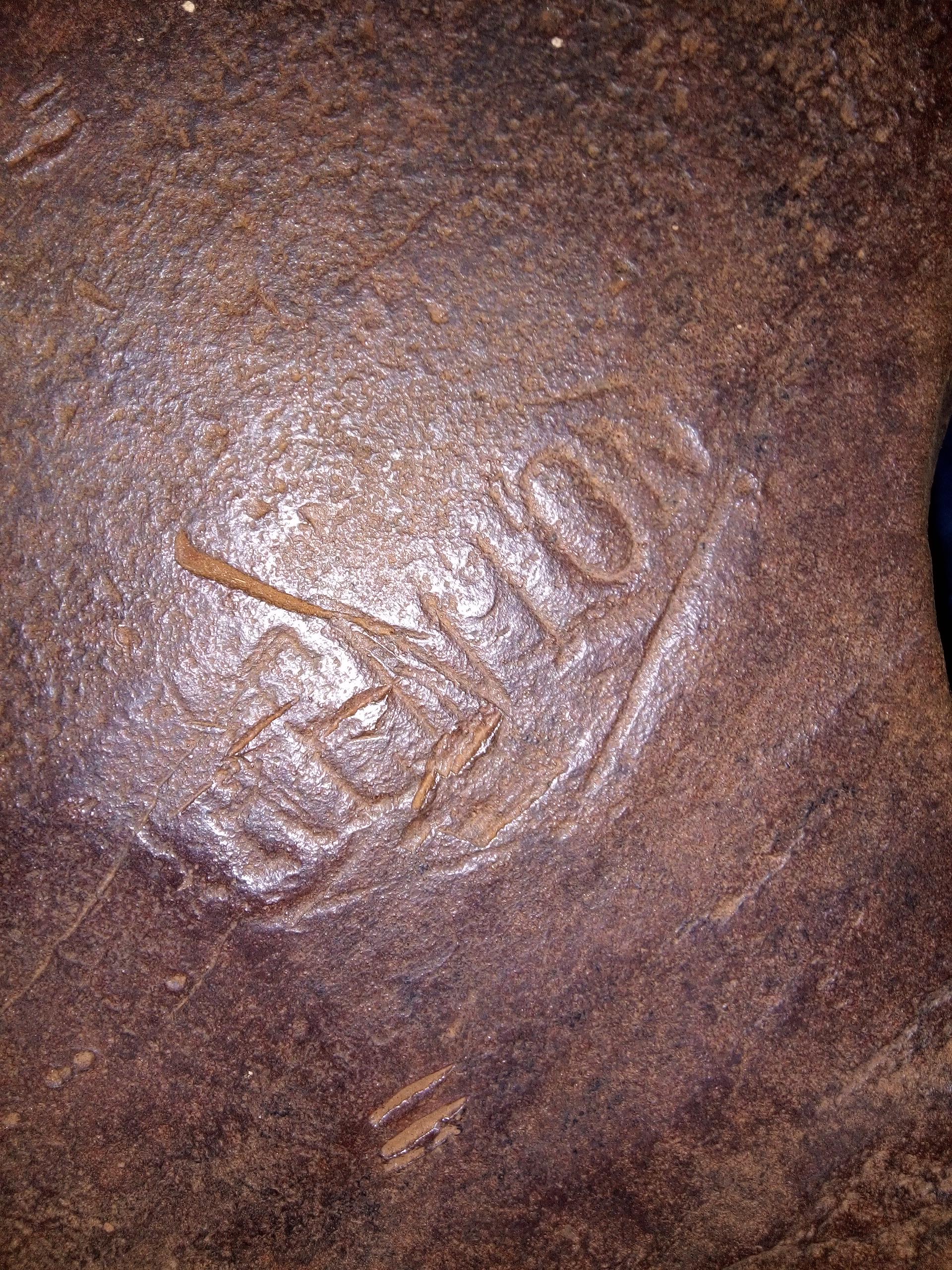
  2. I just got a 80 lb Trenton serial number A89269 ...can anyone tell me what year it was made please? Thank you!
  3. Thank you very much... Glad to be here! I will def not be doing any milling or welding etc and ruin anything as I've read a lot about that topic....I'm going to play it safe and just plan to wire brush and coat with oil. So happy and honored to own an old anvil!
  4. Hey I'm new. Just got my first anvil. Hope this is ok to ask in this section but it's a Trenton I believe from what's left of the marking. Serial number is A89269 and there is also a K 80 on the other side which I'm guessing is the weight and inspection letter. What I'm really interested in is finding out what year it was made and any other information about it. Thanks so much!
Account

Navigation

Search

Search

Configure browser push notifications

Chrome (Android)
  1. Tap the lock icon next to the address bar.
  2. Tap Permissions → Notifications.
  3. Adjust your preference.
Chrome (Desktop)
  1. Click the padlock icon in the address bar.
  2. Select Site settings.
  3. Find Notifications and adjust your preference.